
User guide
A walk through ICTHospital the way you would actually use it: register a patient, book them in, admit them, prescribe, order bloods, dispense, bill, and read the reports at the end of the week. Every screenshot below is a real screen from a working install.
ICTHospital in two minutes
Prefer to watch first? This short video tours the main screens, from registering a patient to billing and reports.
Before you start
Sign in with the account created when the system was installed. The default is admin with the password 123456, and you should change it on day one.
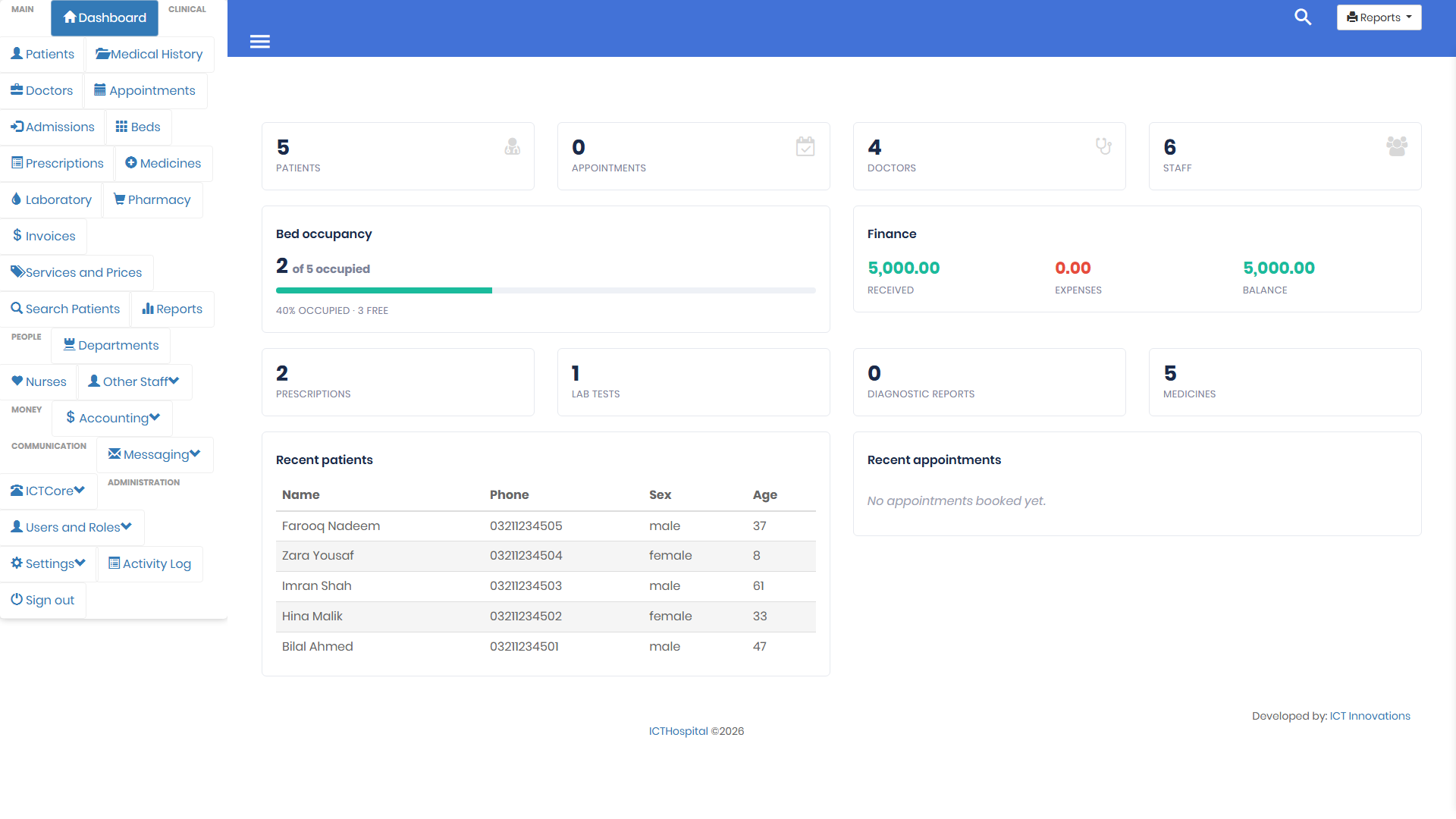
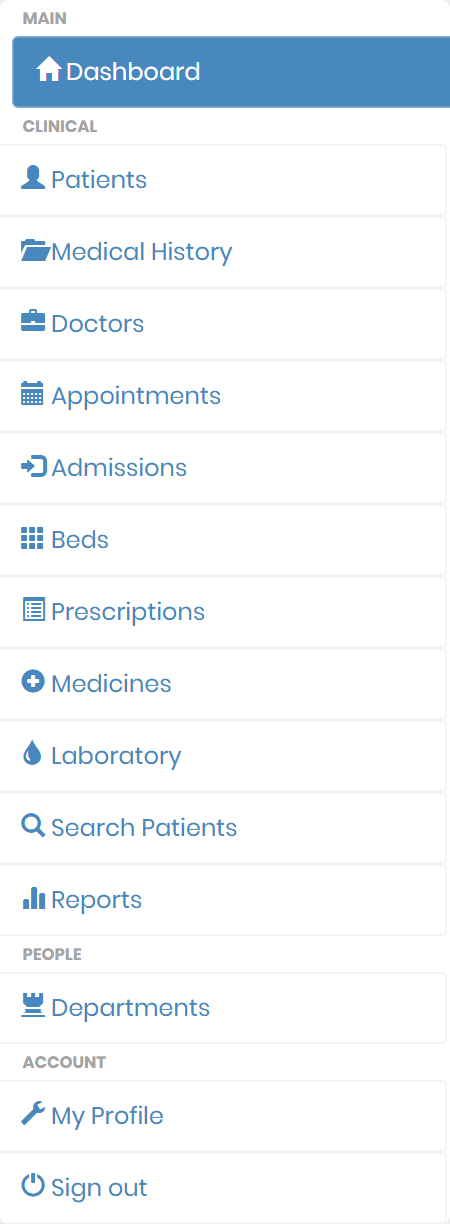
The menu is grouped by what you are doing rather than by which table the data sits in.
Clinical work is at the top of the menu, money in the middle, administration at the bottom. You only see the entries your role is allowed to open, so a receptionist's menu is shorter than an administrator's.
Load the demonstration data
An empty system is hard to judge. If you are evaluating ICTHospital, load a small set of believable records first:
php artisan db:seed --class=DemoDataSeederThat gives you four departments, four doctors, five patients, a ward with someone in it, a part reported lab request and an invoice that is half paid. It is safe to run twice and it never overwrites anything, but keep it off a live system.
The dashboard
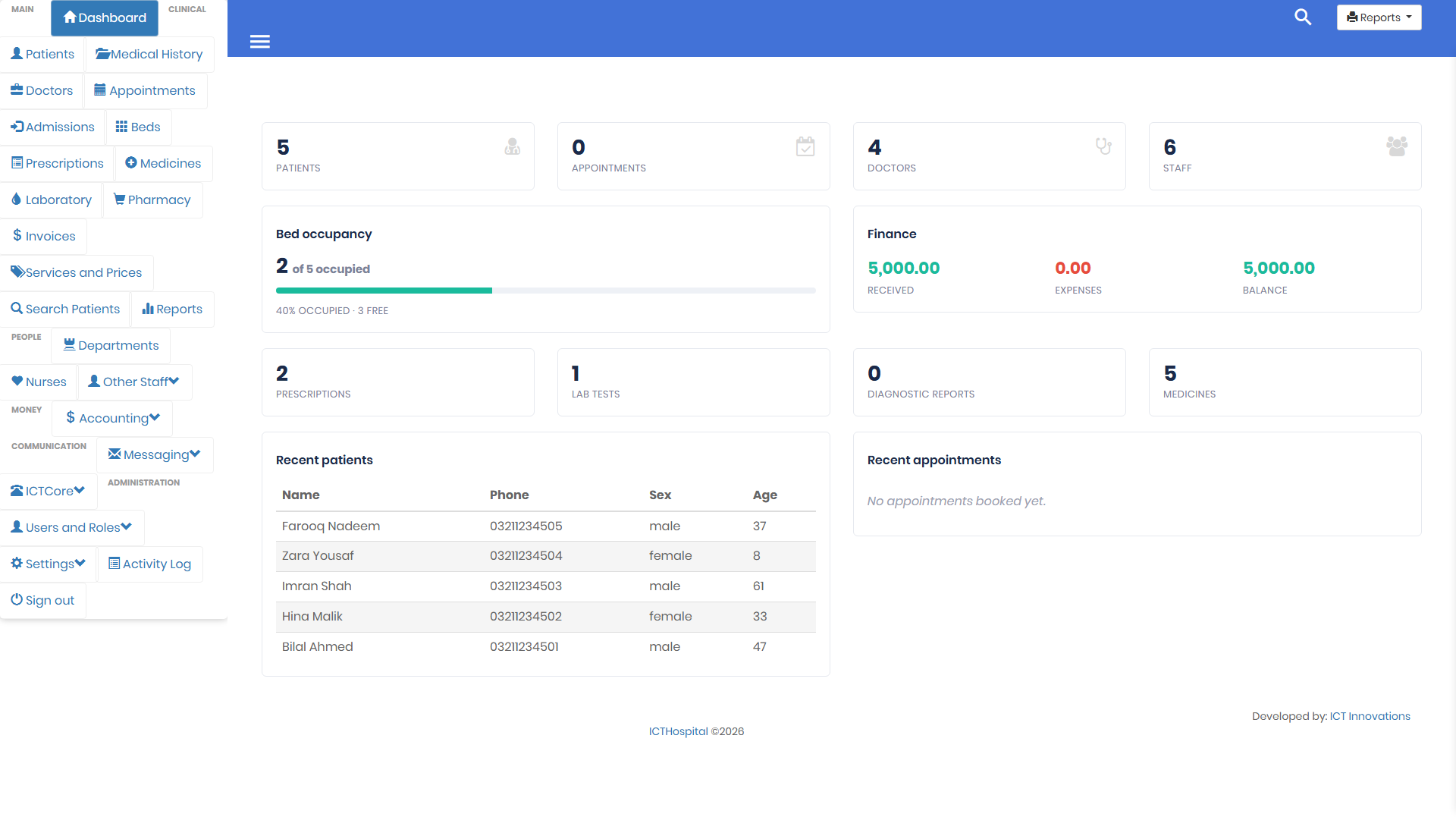
Counts across the top, money in the middle, recent patients underneath.
Nothing here is stored as a running total. Every figure is worked out when you open the page, so it cannot drift away from the records it is counting.
Patients
The front desk starts here. Admissions, prescriptions, lab requests and invoices all hang off a patient record, so this is the first thing you will create.
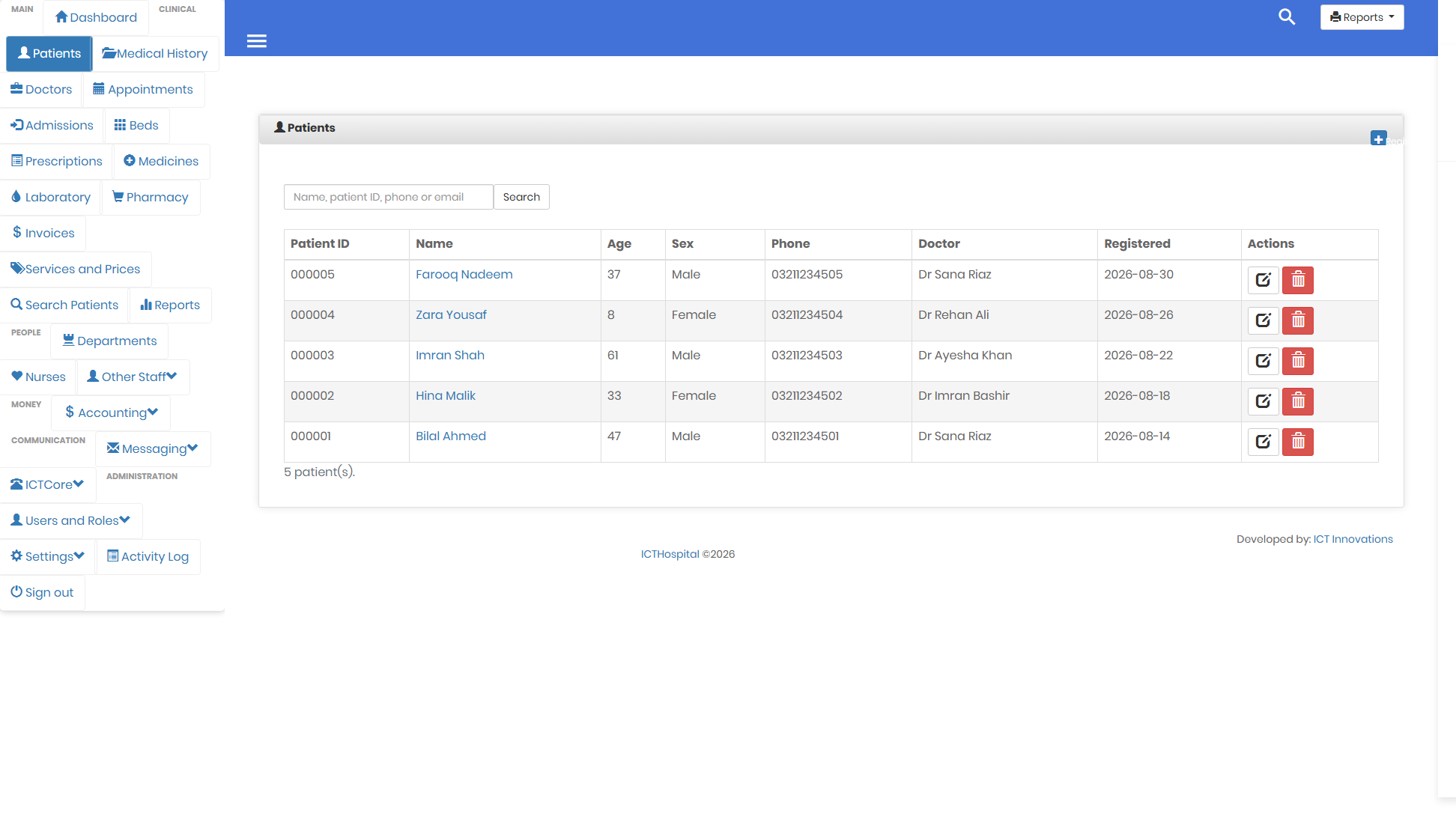
One search box covers name, patient ID, phone and email.
One box rather than a filter per column, because the person on the phone gives you whatever they can remember.
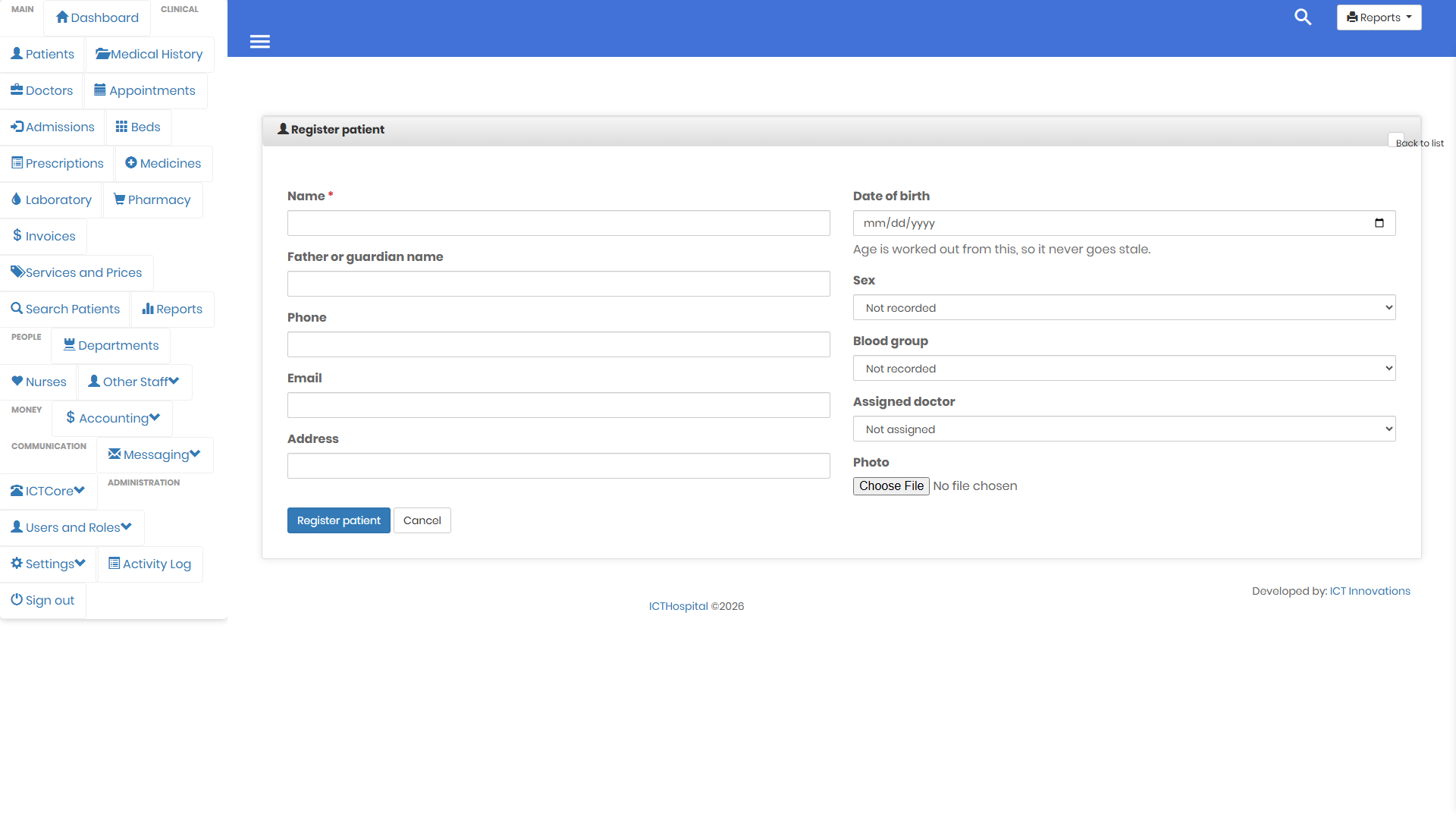
Only the name is required.
Someone walking in at two in the morning with no paperwork still has to be registerable, and a form that refuses that record just gets worked around with junk data.
Two things worth knowing. Age is worked out from the date of birth rather than typed, so it cannot go stale the way it did in the system this replaces. And the patient ID comes from the highest one already issued, so deleting a record never hands the next patient a number somebody else is using.
The patient record
Open any patient, from the patient list, a search or a name on the appointment list, and everything recorded about them is on one page.
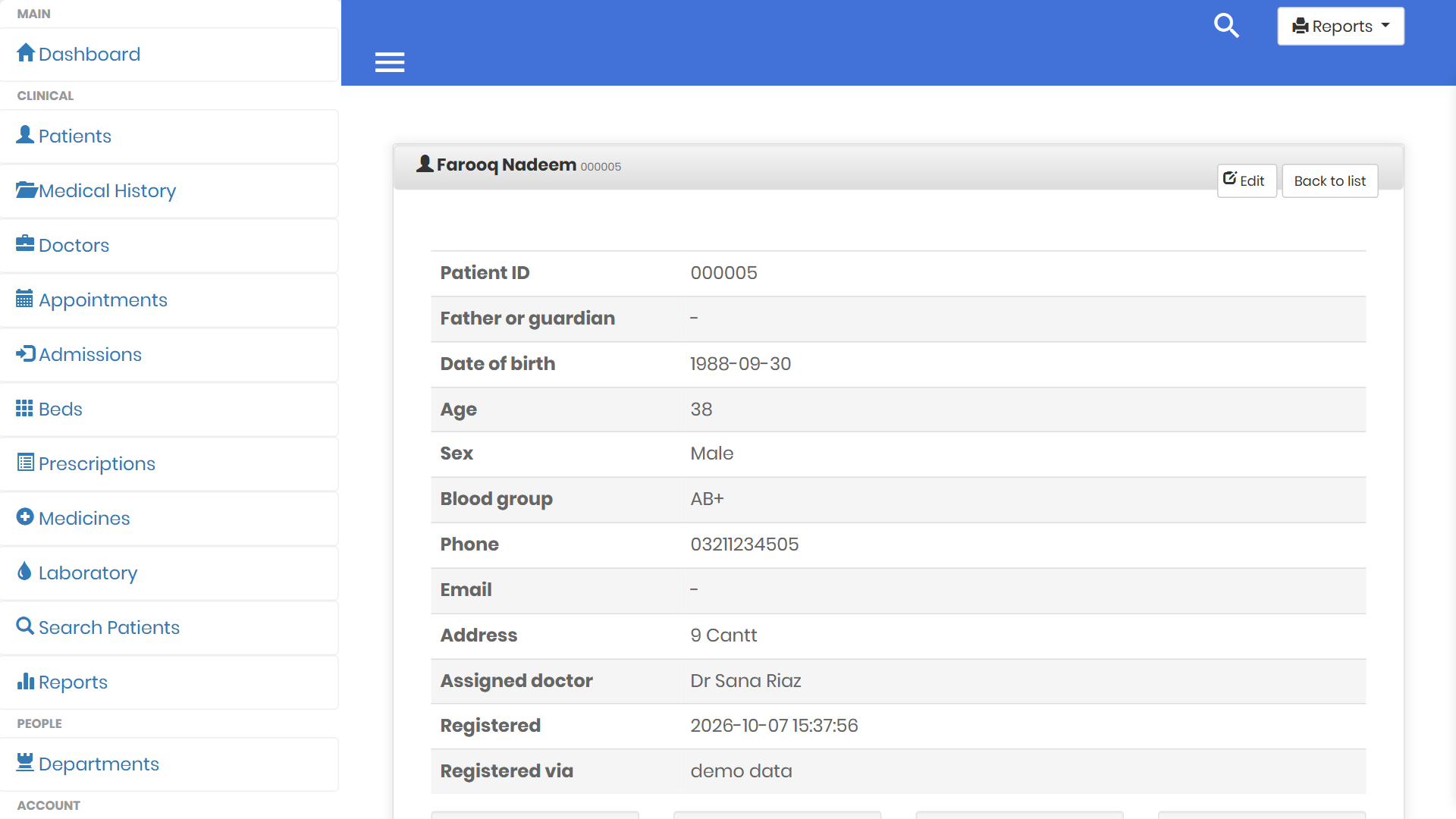
Who the patient is comes first, then the clinical record underneath.
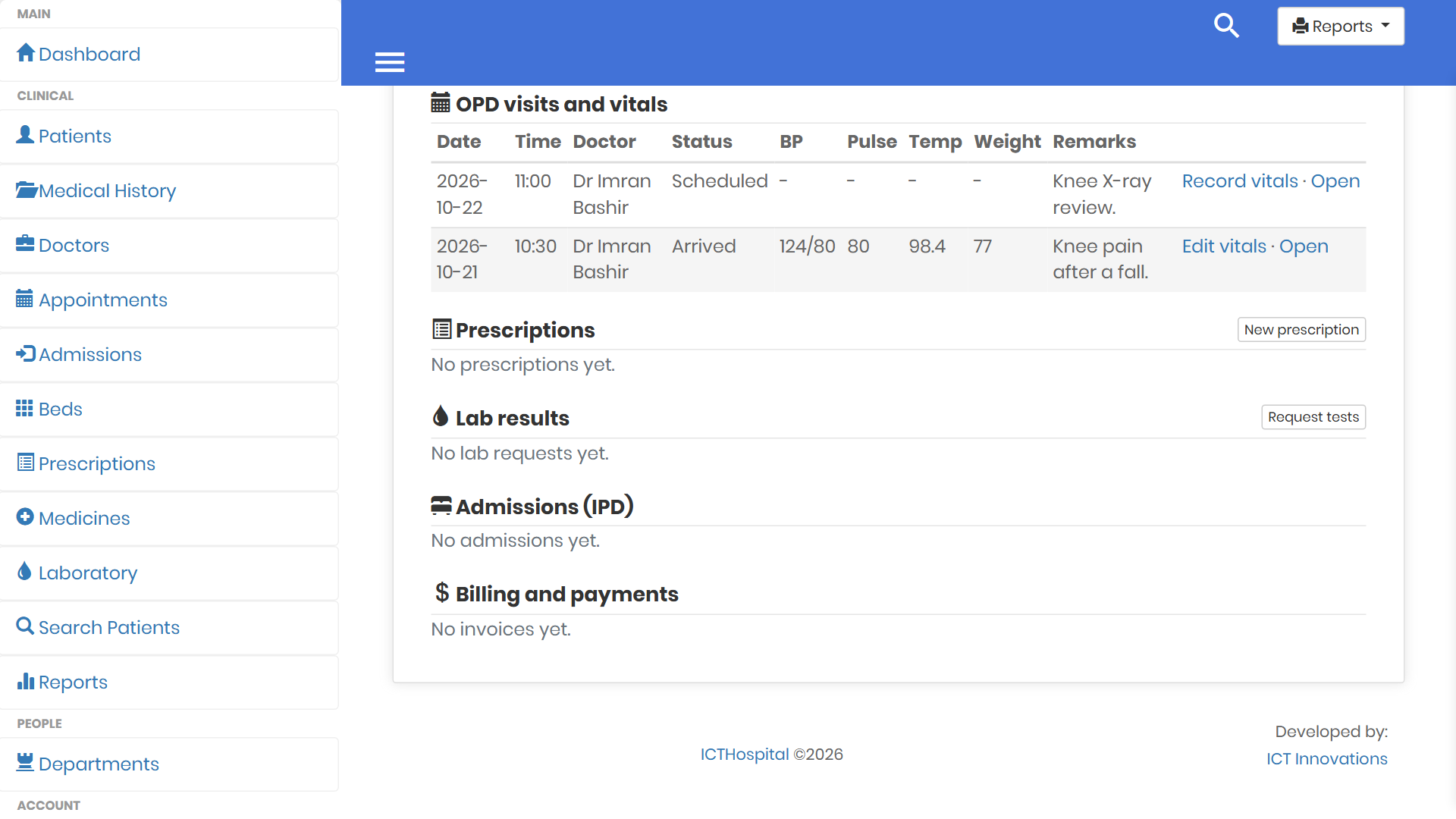
Every visit with its vitals, then prescriptions, lab results, admissions and billing.
Each visit has a Record vitals link, which reads Edit vitals once something has been entered. The buttons for a new prescription, lab tests, a history note or an invoice only appear for roles that are allowed to use them, so a doctor is not offered an invoice button they cannot save.
A patient who has just been registered has no visits yet, so no vitals show. They appear as soon as an appointment is booked.
Medical history
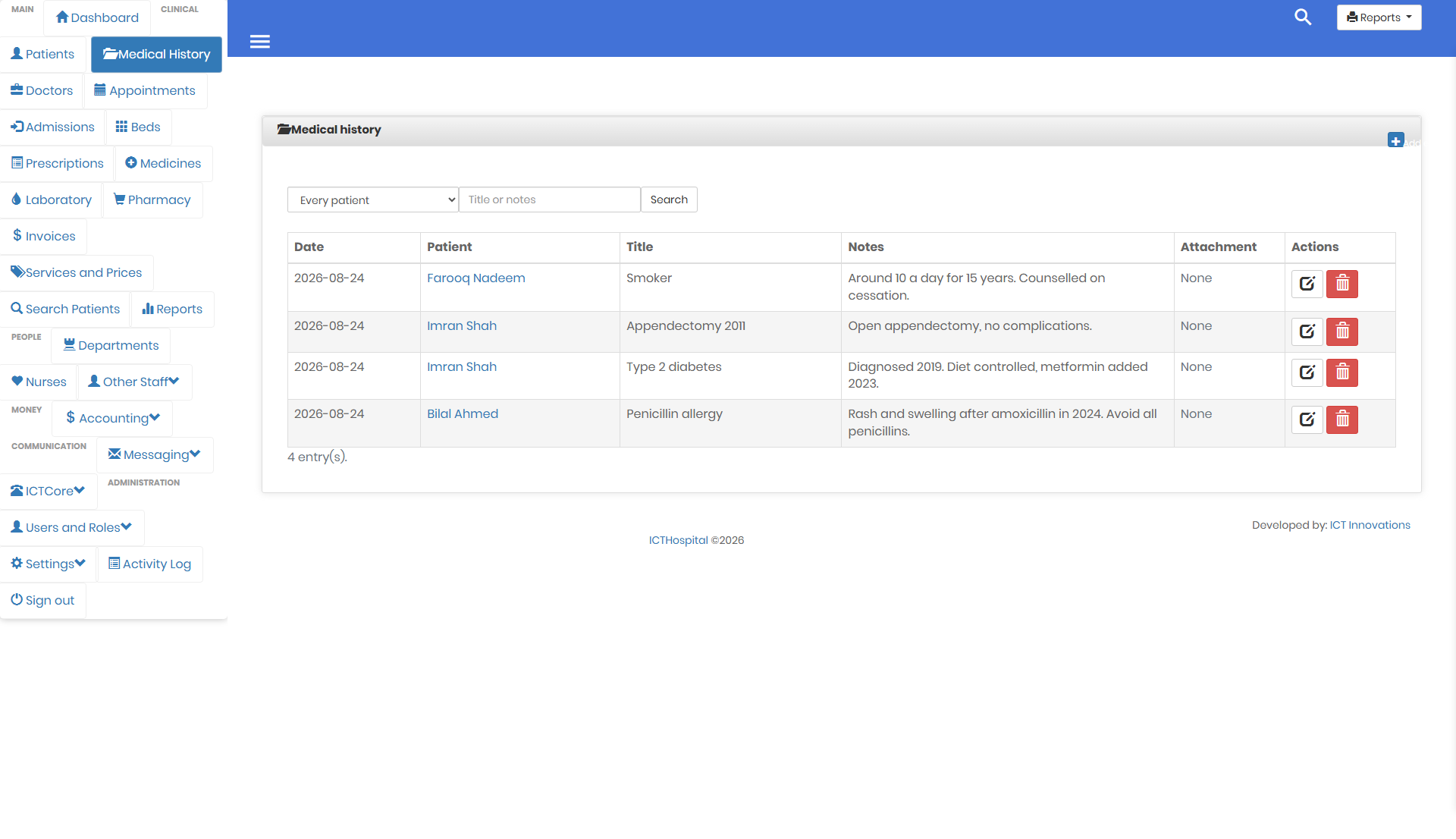
Allergies, past operations, chronic conditions, with a scan attached where you have one.
This is the first thing worth reading before a consultation, so it has a screen of its own rather than being buried in the patient record.
The patient's name, address and phone are copied onto each entry when you write it. That looks like duplication and it is deliberate: a note written two years ago should still read correctly after the patient moves house.
Attached reports are private. They open only for signed in staff whose role has the medical history permission, through a link inside ICTHospital. The file itself is never placed in a public folder, so a copied link does not open it for anyone outside.
Doctors and departments
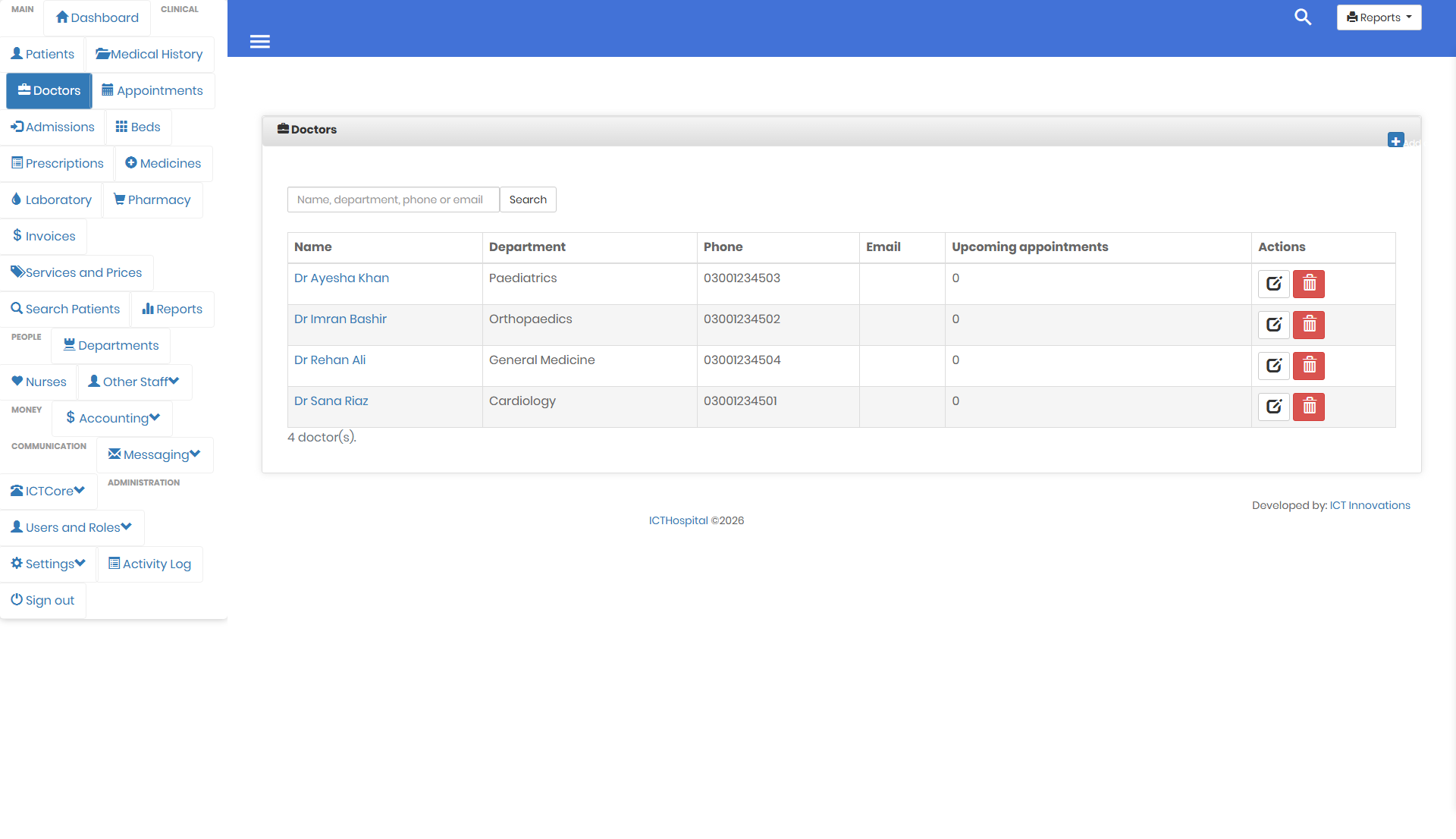
Every clinical screen picks a doctor from this list.
Add at least one doctor before you try to book anything. The list shows how many upcoming appointments each one has, which answers the question you actually have when you are looking at it.
A doctor with appointments on file cannot be deleted. The appointment record points at the doctor by id, so removing them would leave every past appointment pointing at nothing.
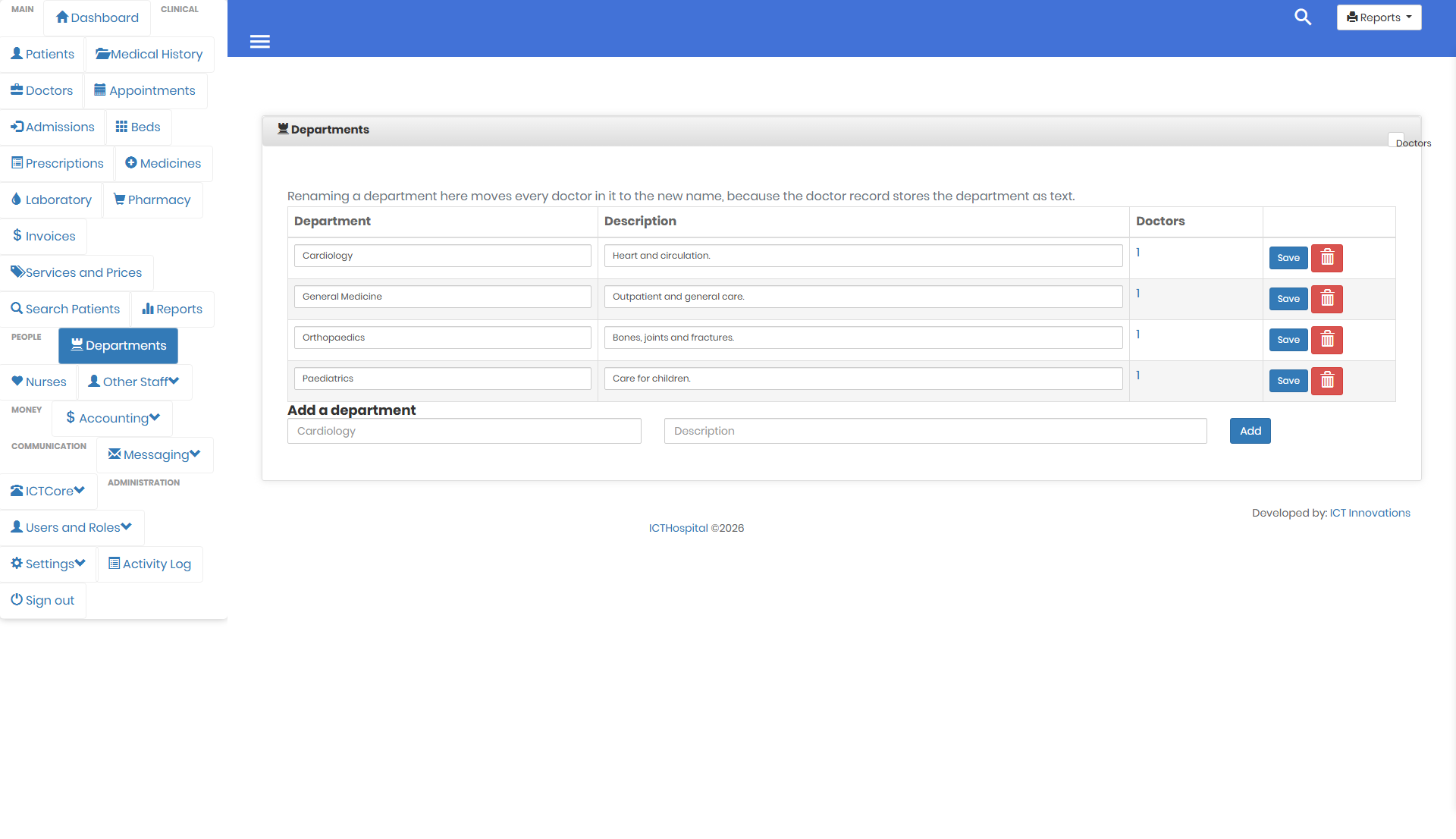
Renaming a department moves every doctor in it to the new name.
If you are upgrading from an older install, the departments your doctors already use show up as unlisted, and one button adopts them onto the list.
Giving a doctor a login
A doctor on the register and a doctor who can sign in are set up on the same form.
- Go to Doctors and choose Add doctor, or open an existing doctor and press Edit.
- Fill in the doctor's details: name, department, phone and email.
- In the Login section at the bottom, enter a username and a password of at least 8 characters.
- Save. The confirmation says Login created, and you can hand the username and password to the doctor.
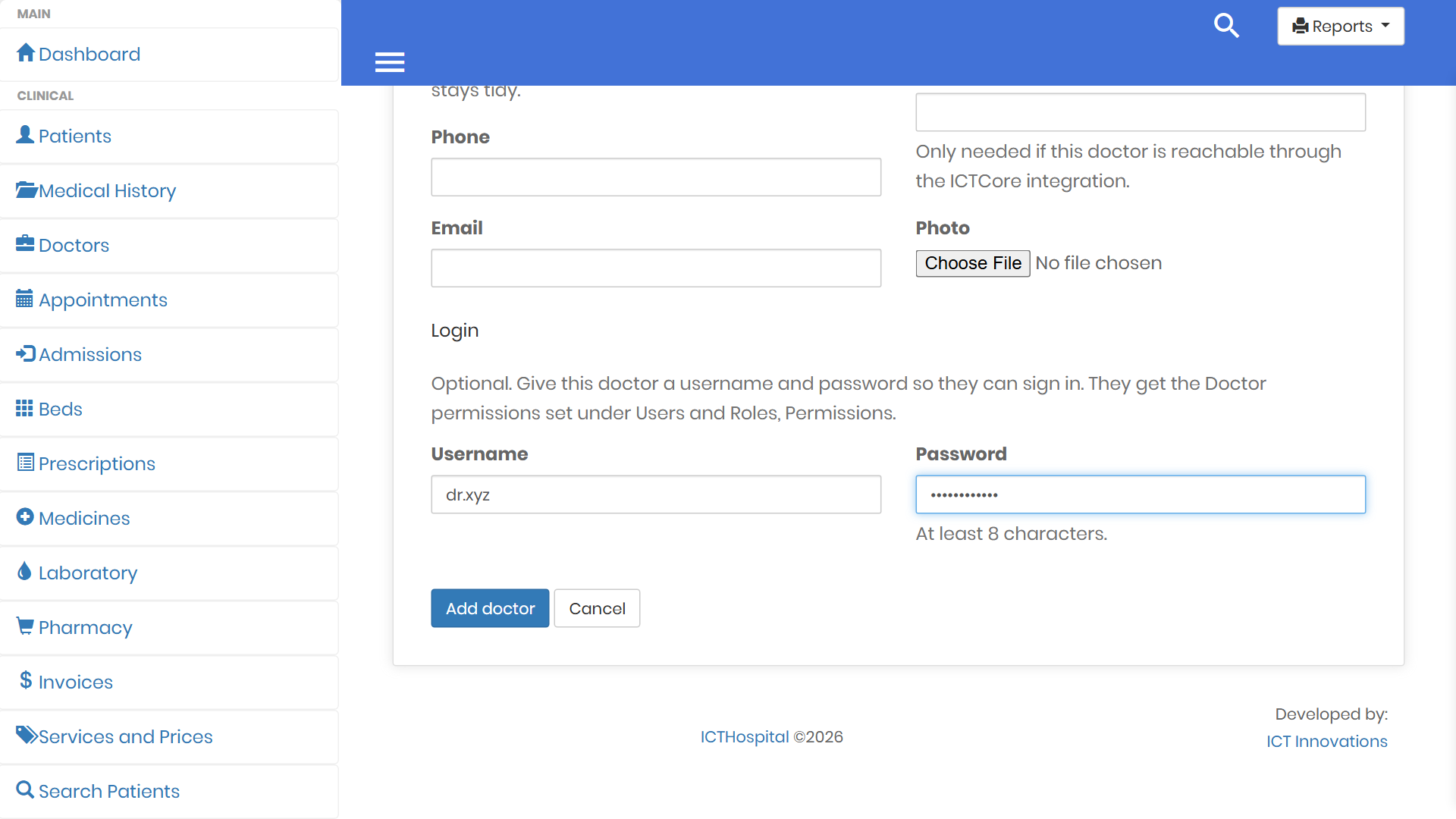
The Login section is optional. Leave it empty for a doctor who does not sign in.
The doctor gets the Doctor permissions set under Users and Roles, Permissions. Once the login exists, the same section changes the username or sets a new password, for example when someone forgets theirs.
Staff
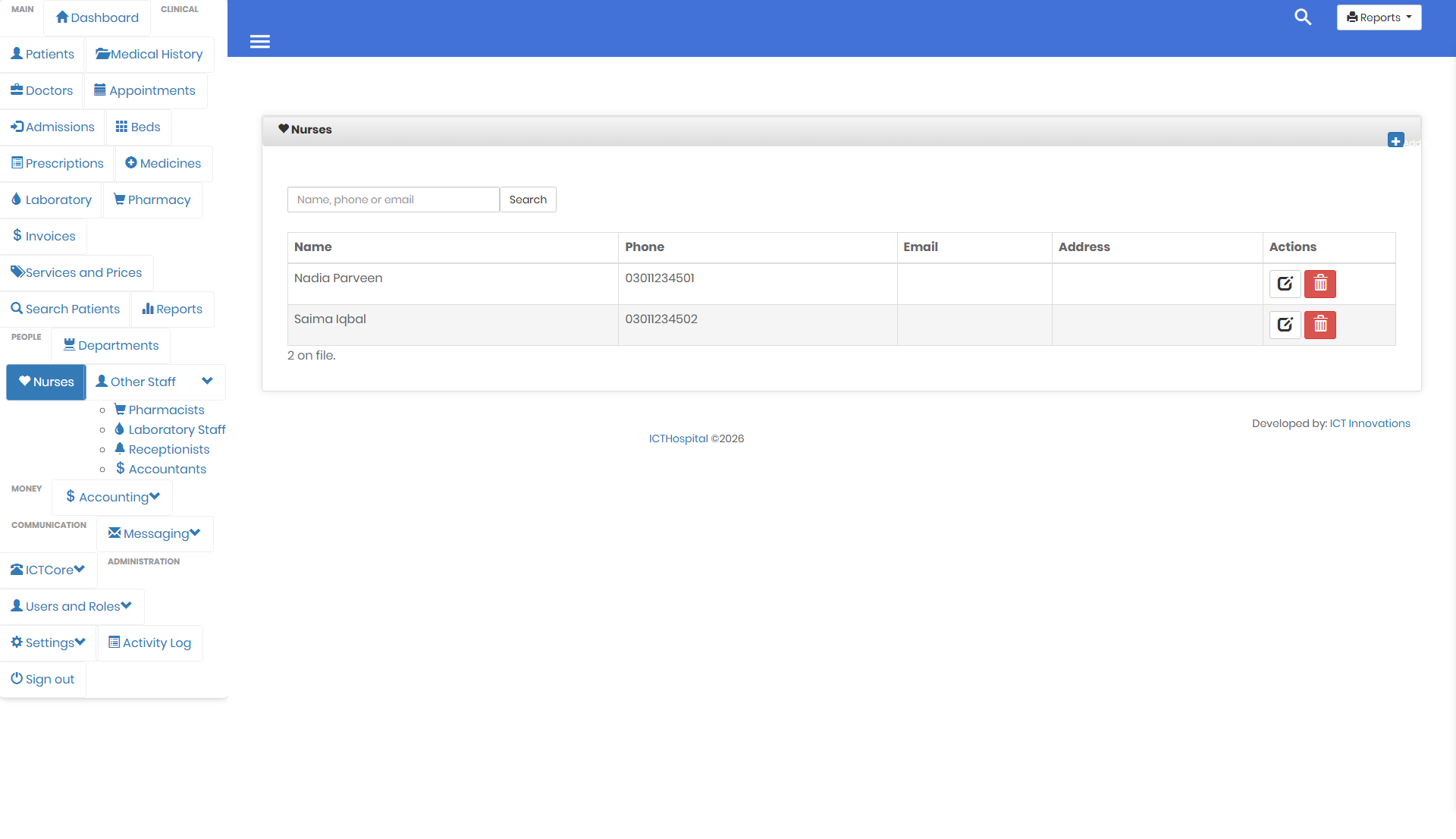
Nurses, pharmacists, laboratory staff, receptionists and accountants share one screen.
They share a screen because they share a shape: a name, contact details and a photo. Nurses have their own permission, so you can let ward staff manage the nursing list without handing them the accounts list.
Nurses, pharmacists, laboratory staff, receptionists and accountants each have their own role, so each can be given exactly what their job needs.
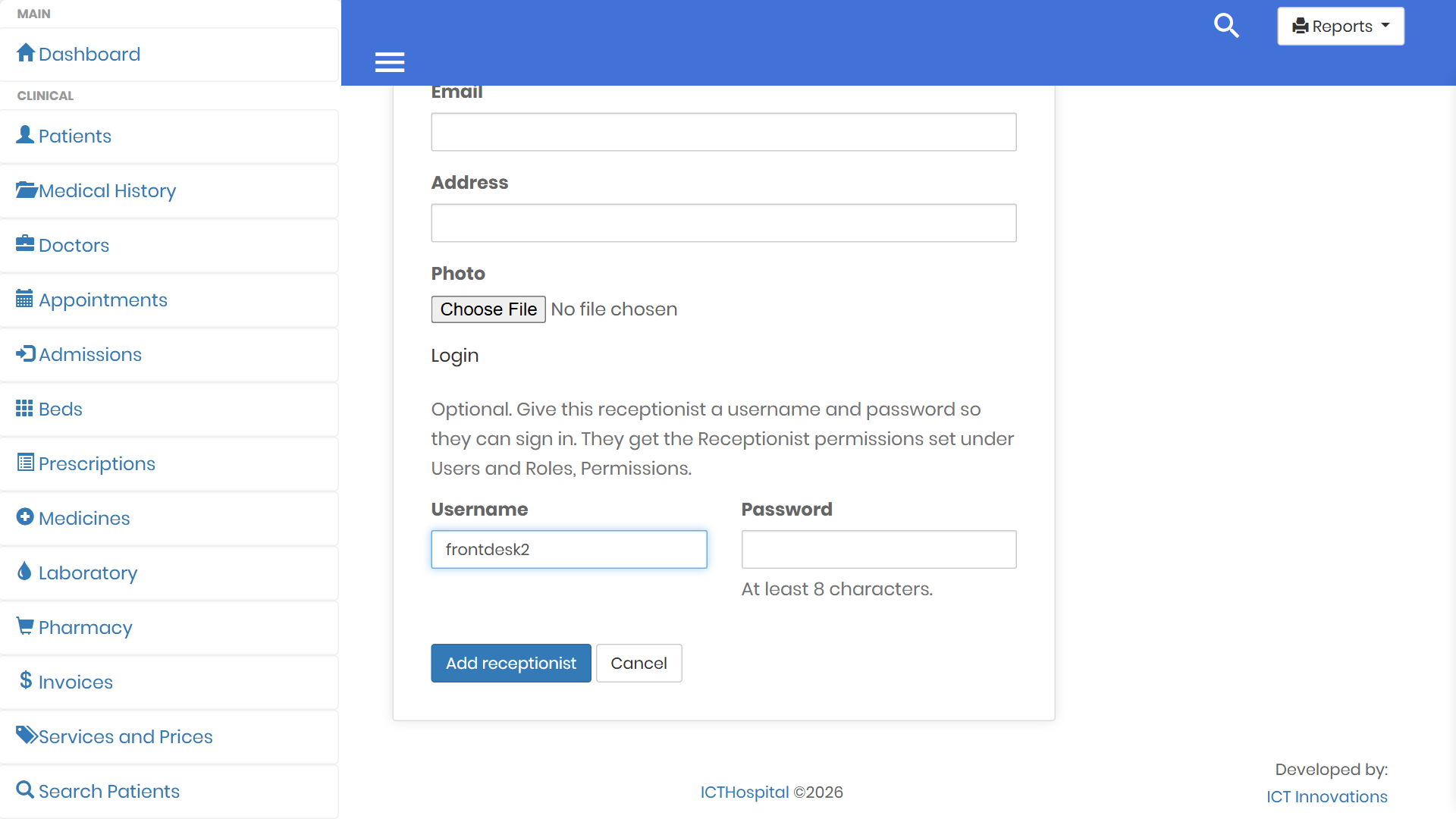
Every staff form has the same Login section as the doctor form.
Pharmacists and laboratory staff start with no permissions at all. Give them what they need on the permissions grid before handing over their login.
Appointments
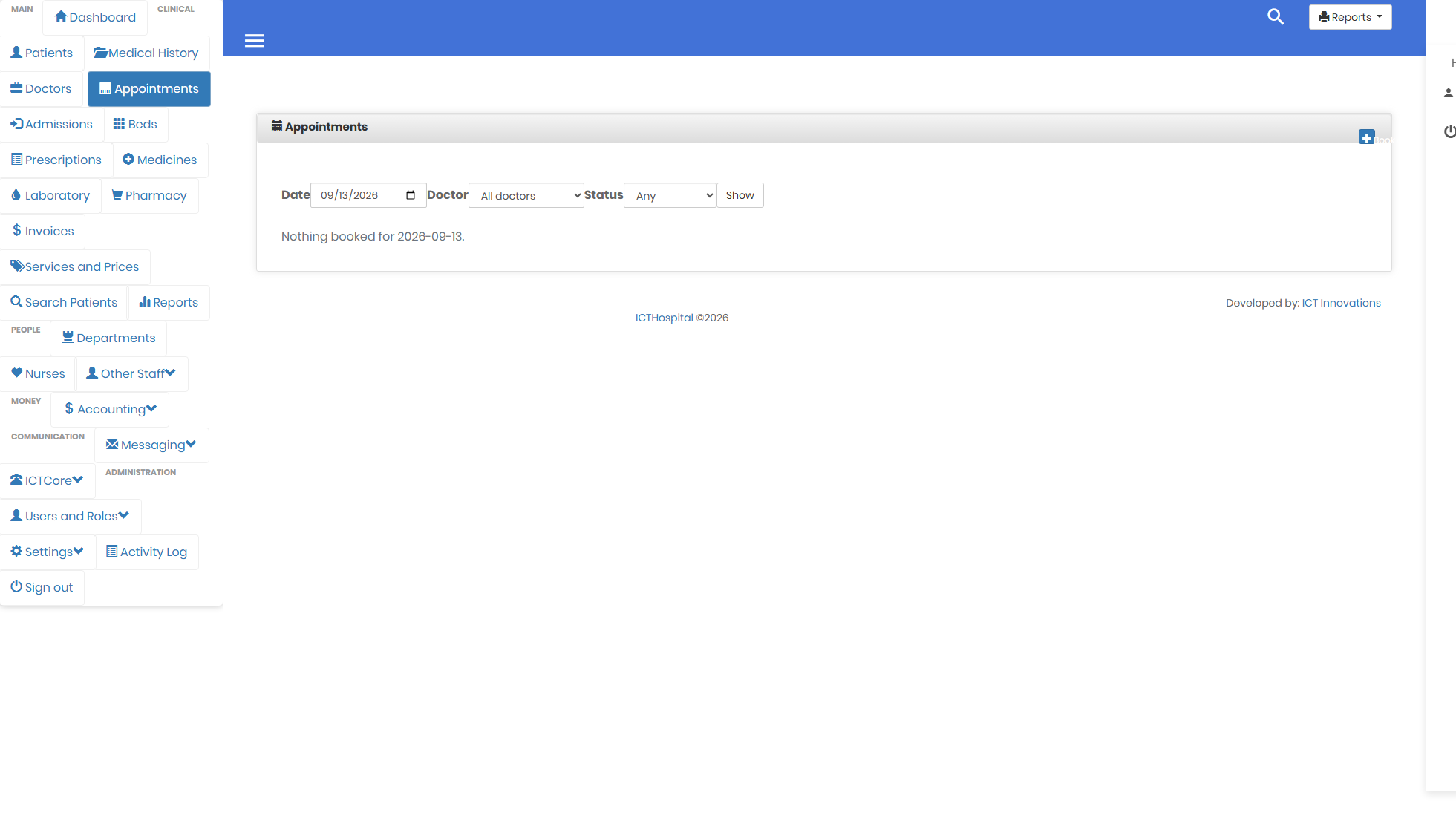
A day view, filtered by doctor and by status.
The system will not let you double book a doctor, but it will let you book back to back, because that is how a clinic actually runs. Cancelling or marking a no-show frees the slot again straight away.
If two clerks try for the same slot at the same moment, one gets it and the other is told. That is a database lock rather than a polite check, so it holds under real pressure.
A doctor's day
- Sign in with your own username and password.
- Open Appointments. Today's appointments are listed in time order.
- Choose your name in the Doctor box and press Show to see only your patients. Change the date to look ahead, or filter by status.
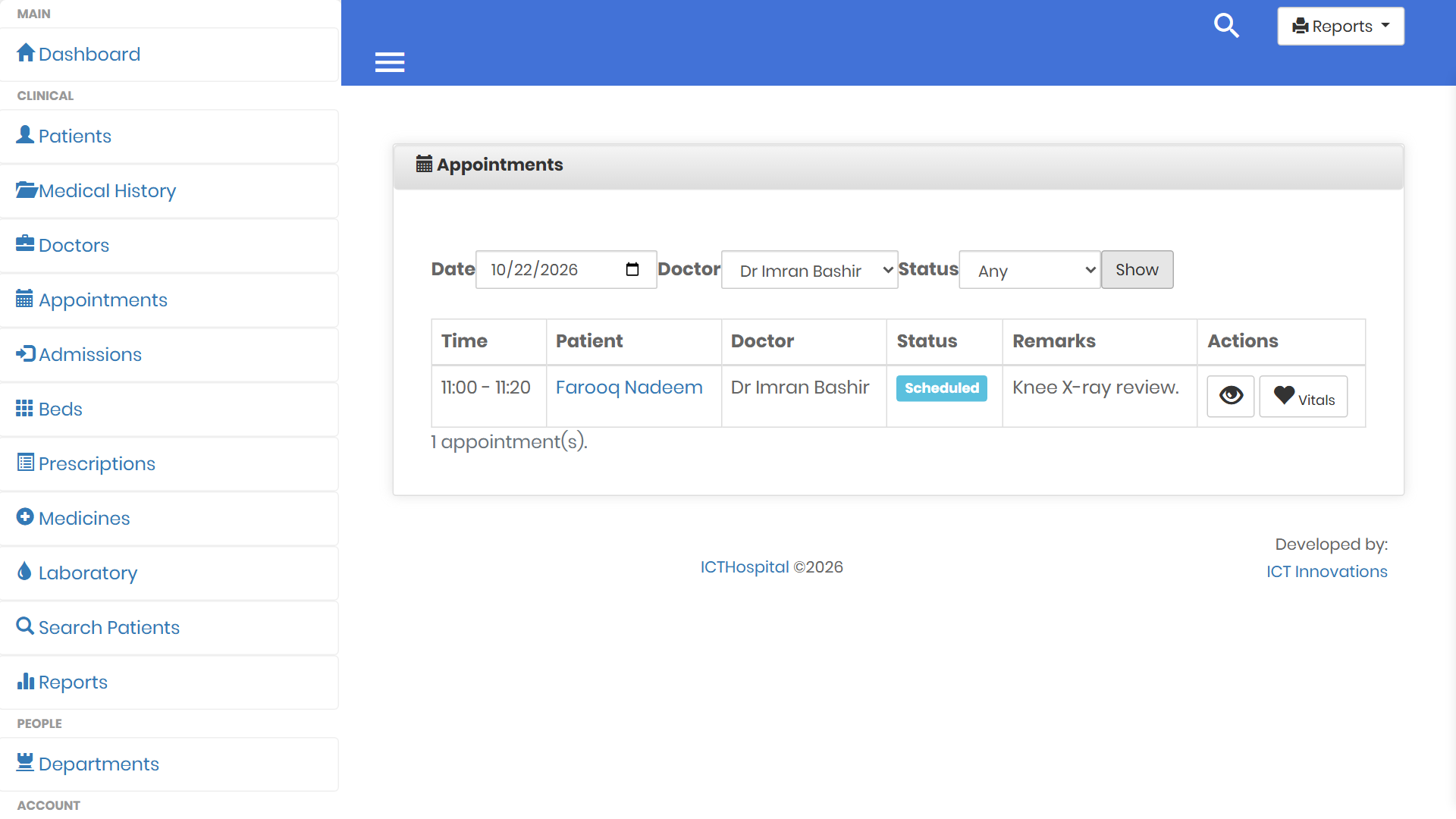
One doctor, one day. Leave the doctor and status boxes on All and Any to see everyone.
Each appointment has two buttons. Open shows the booking. Vitals opens the visit, where you record blood pressure, pulse, temperature and weight and set the status: Arrived when the patient is in, Completed once they have been seen, or No show.
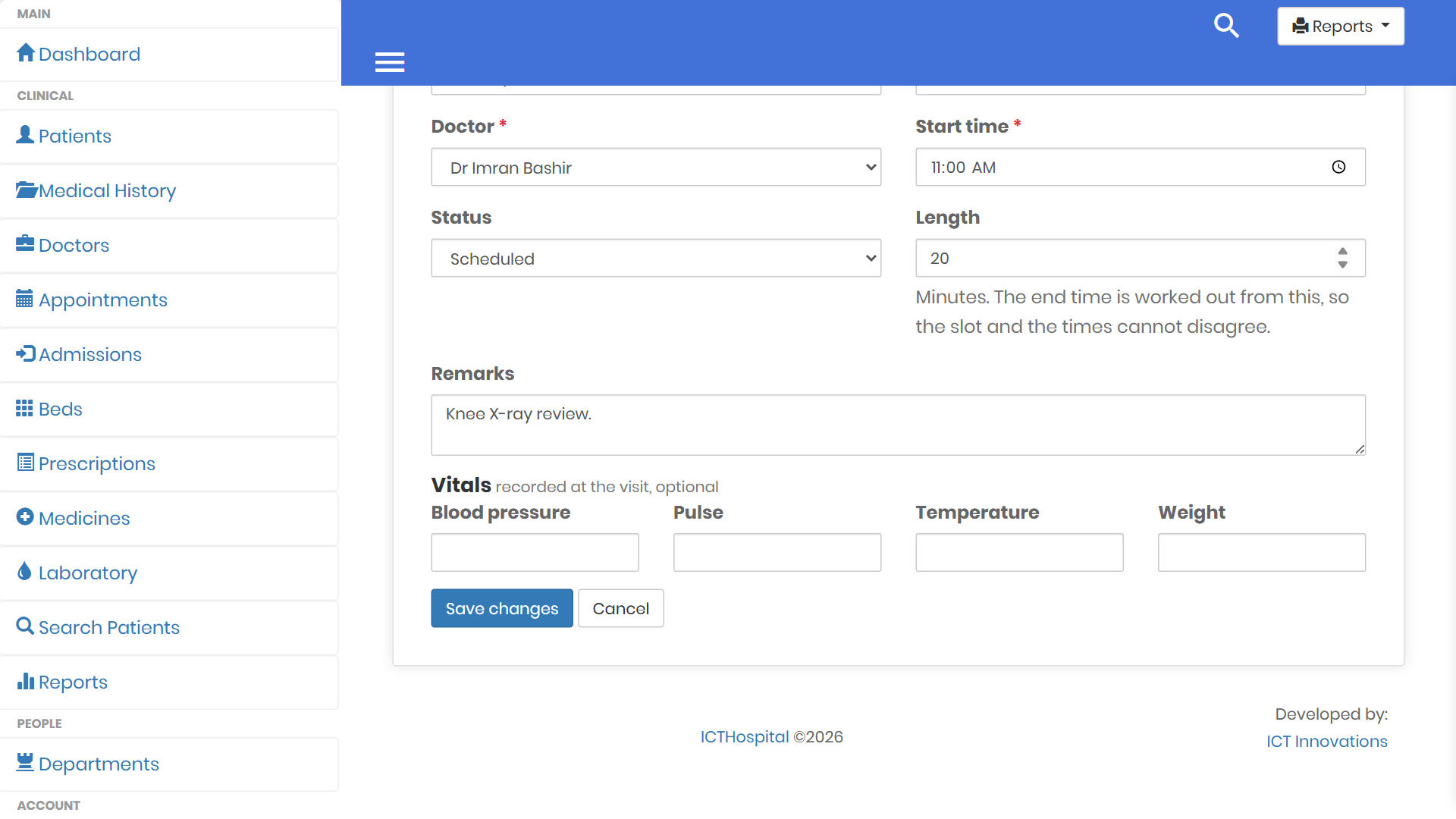
Vitals are optional and belong to the visit, so each one keeps its own readings.
Booking and cancelling are front desk jobs in the default roles, so the Book appointment button only appears for roles that may book. If your doctors book their own appointments, switch on Appointment Add for doctors on the permissions grid.
Beds and admissions
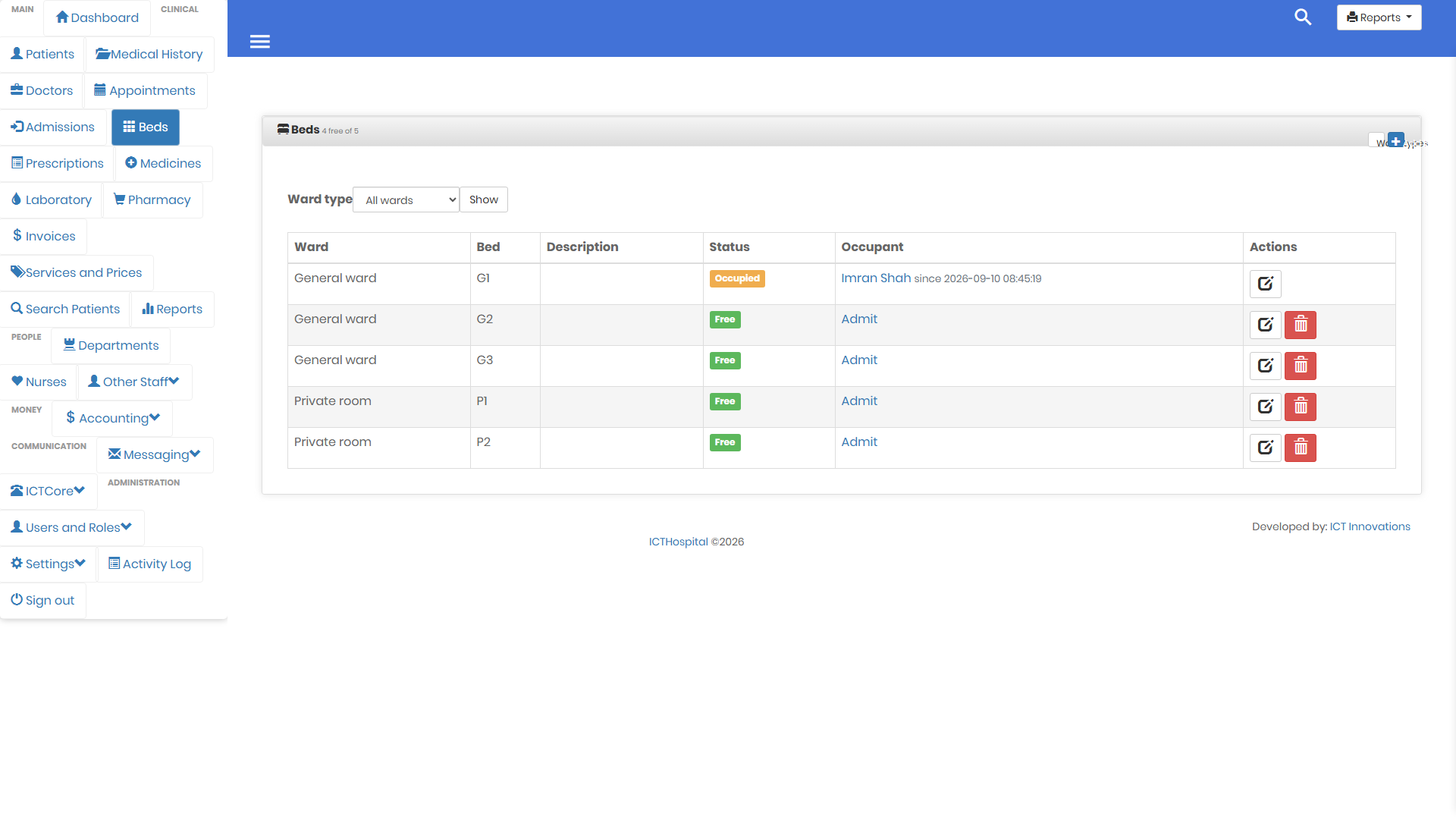
A bed is free when no admission points at it with an open discharge time.
There is a status column on the bed record and it is kept in step, but the admission is the truth. In the system this replaced, a clerk set both by hand and they drifted apart within weeks.
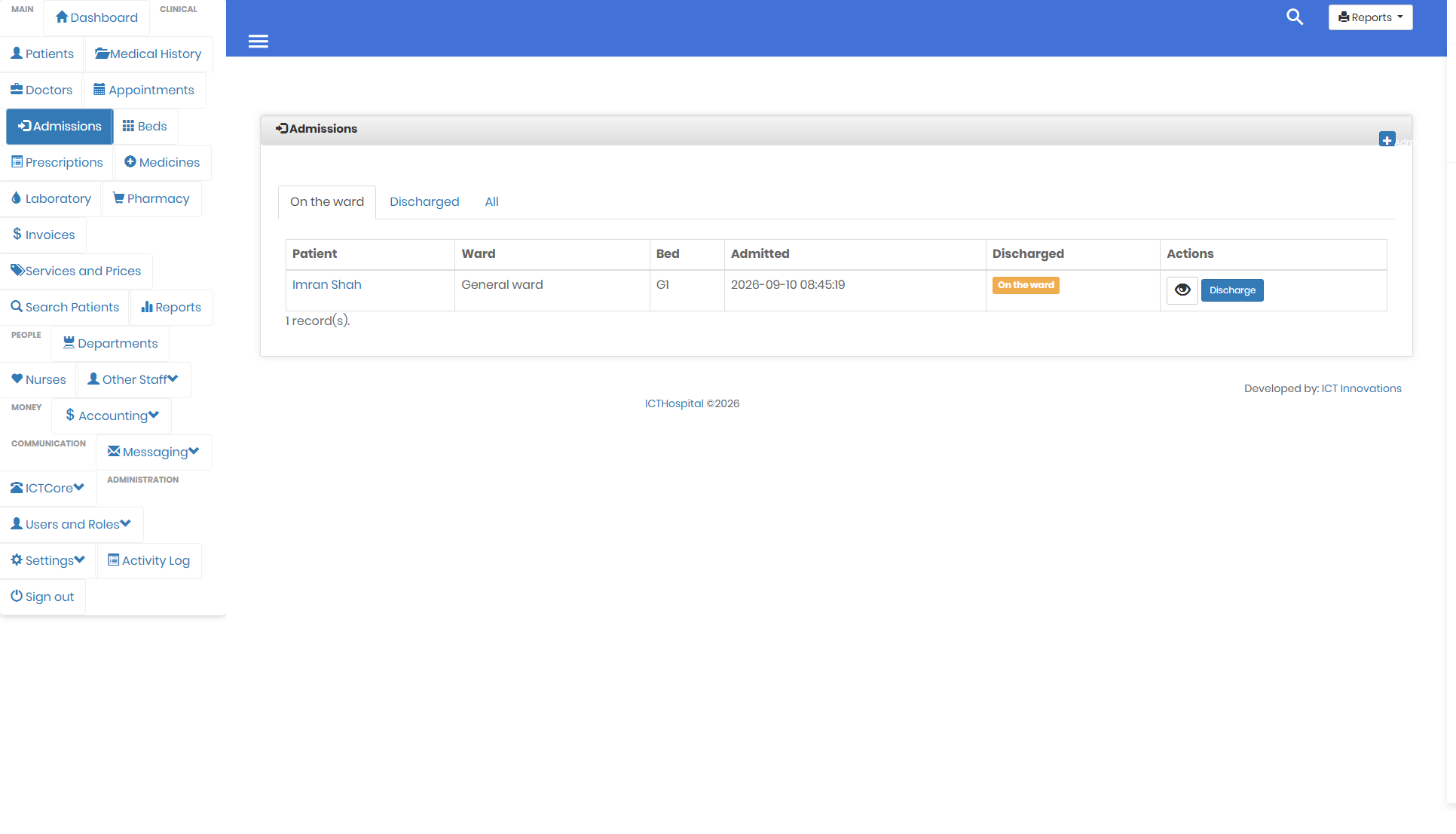
Two rules the old system never enforced: one patient per bed, one bed per patient.
Prescriptions and medicines
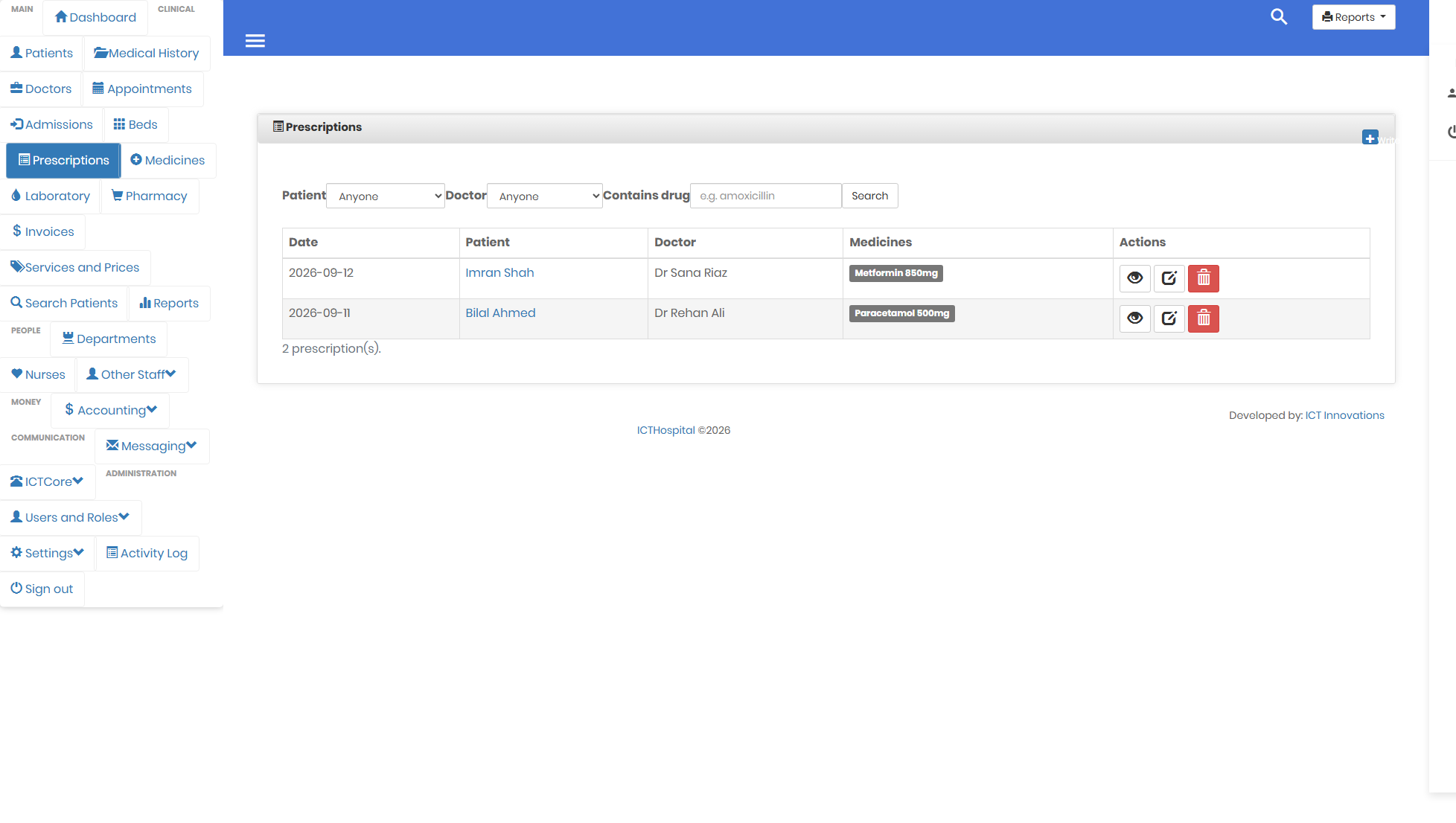
Each drug on a prescription is its own row.
That is what makes "which patients are on this drug" a question you can answer, and it was the main reason the database schema changed during the rebuild.
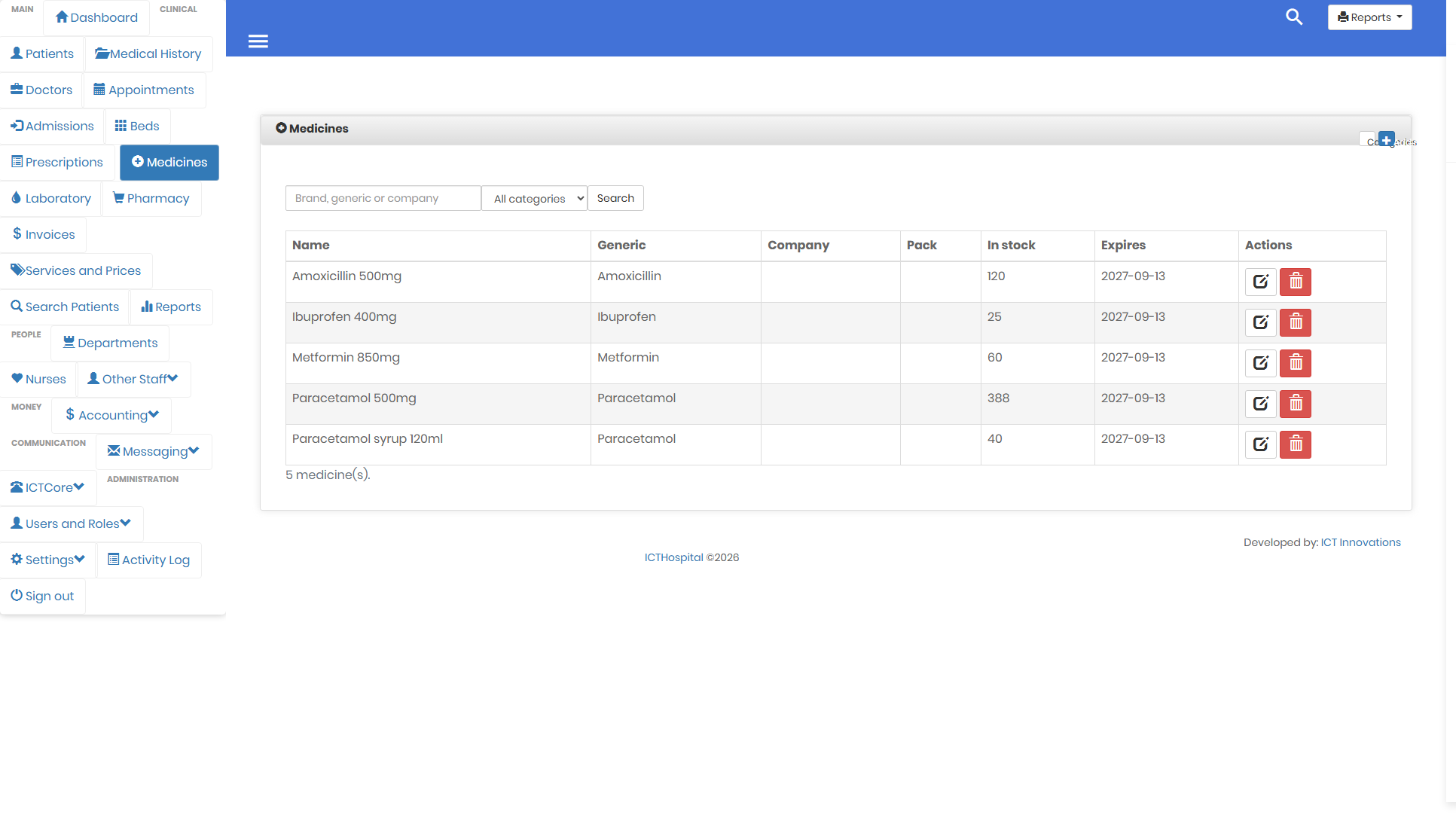
You can still prescribe something that is not in the catalogue.
A doctor should not be blocked because the pharmacy has not added a line yet.
Laboratory
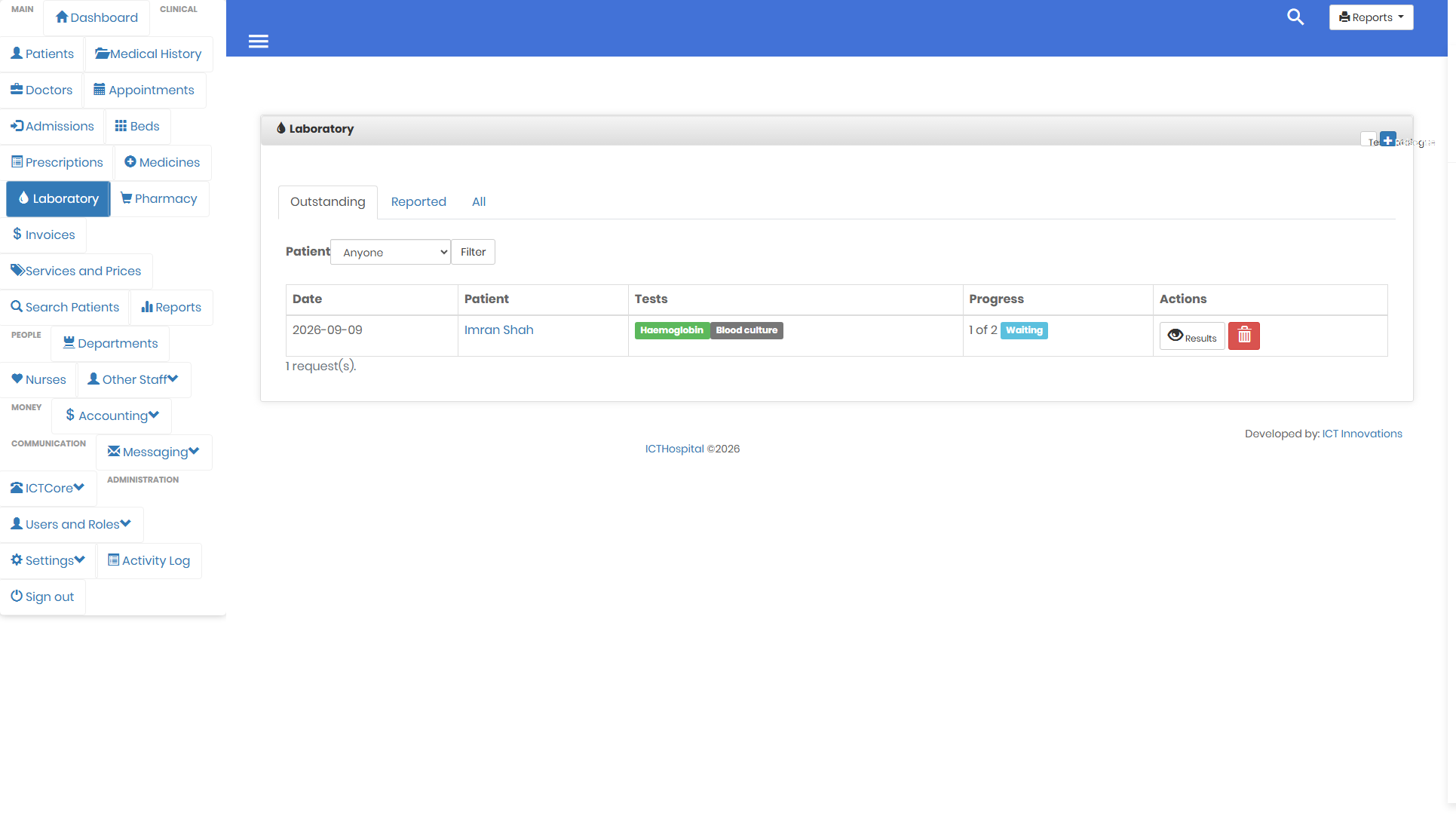
Each test carries its own result and status, so a request can be part reported.
The bloods come back, the culture is still growing, and the screen shows exactly that instead of pretending the whole request is either done or not.
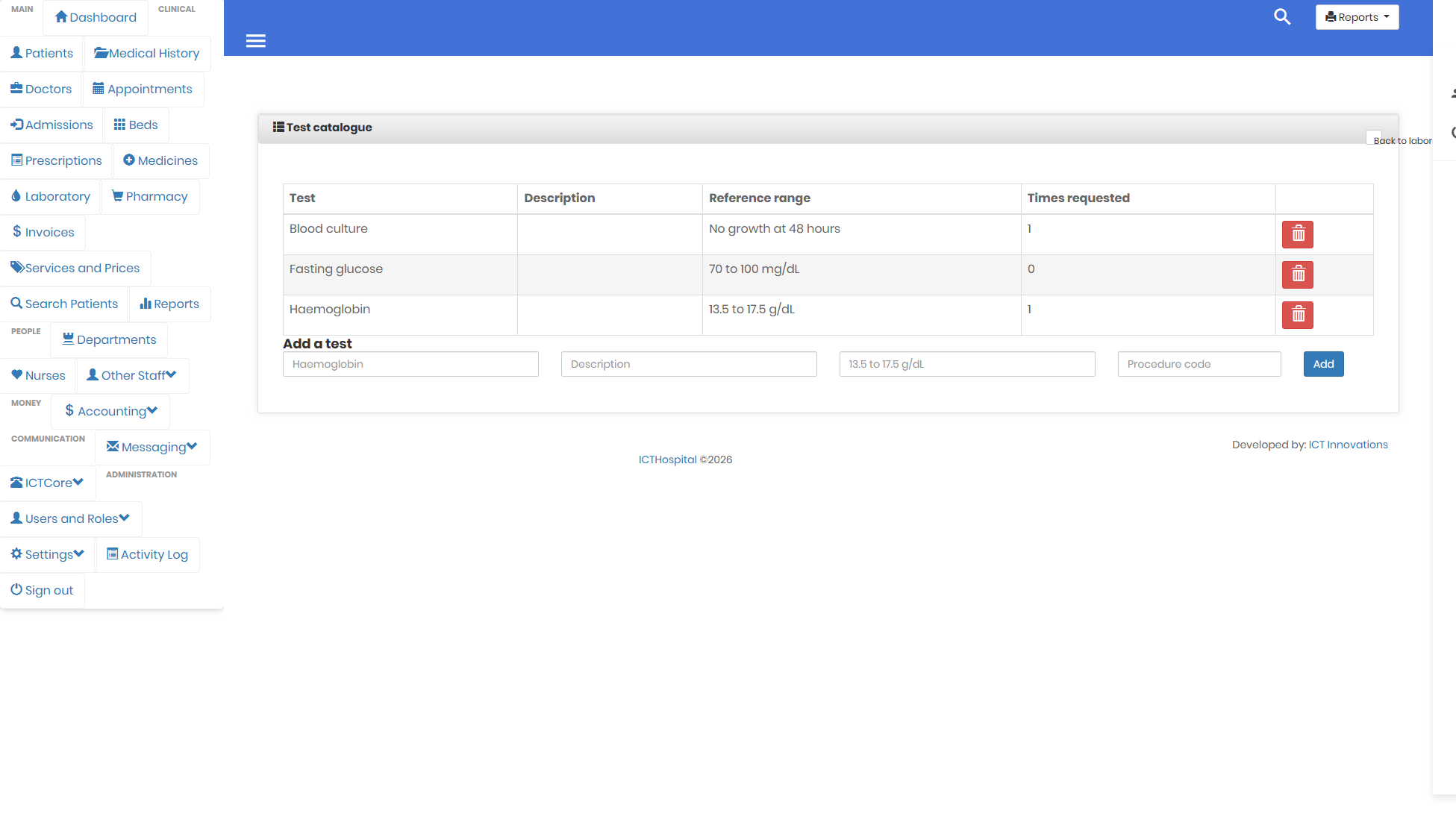
Fill in the reference range. It is copied onto the test when it is requested.
That way a result from last year is still readable against the range that applied when it was measured.
Pharmacy
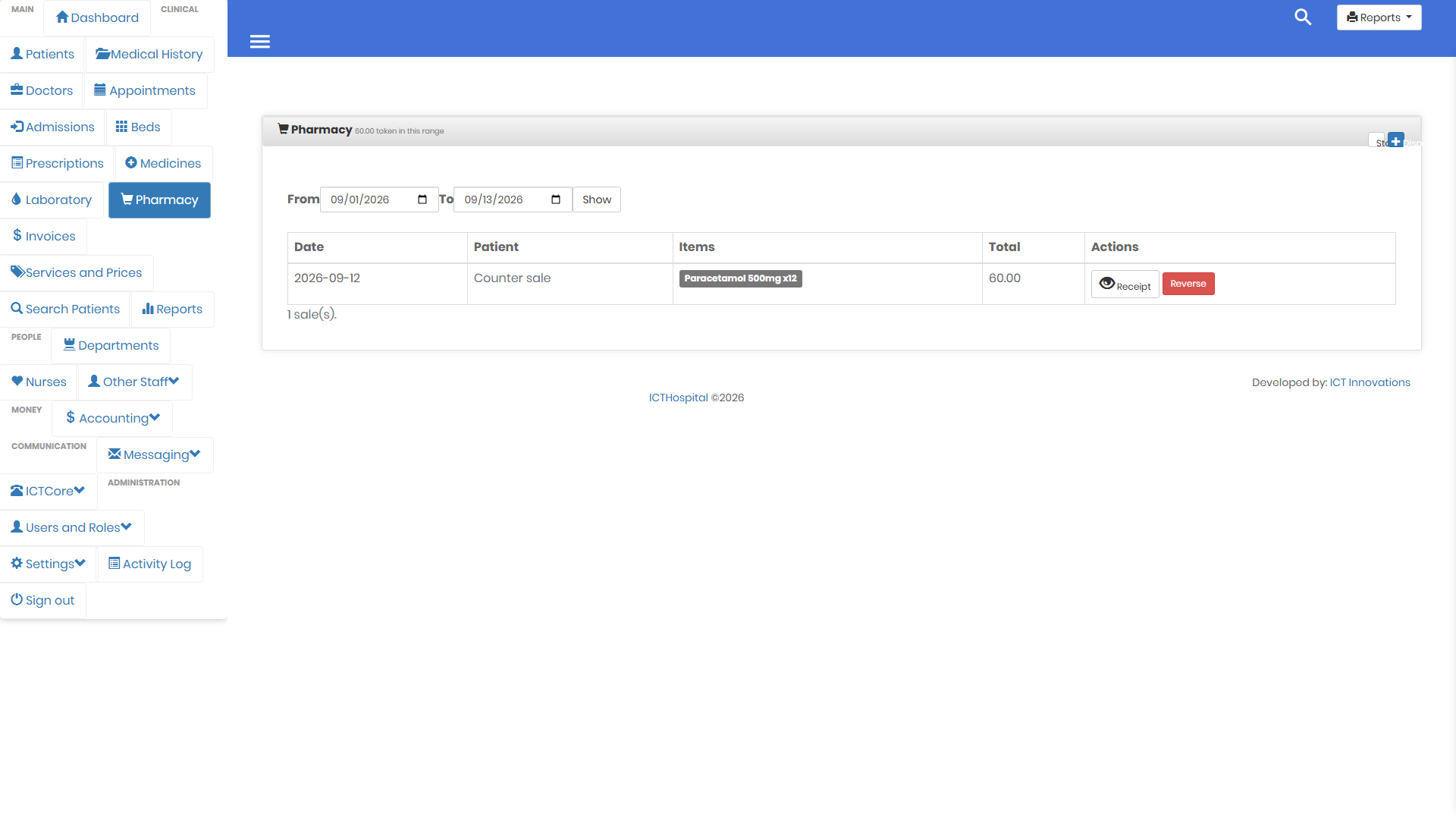
Stock comes out of the catalogue in the same transaction as the sale.
The quantity on the shelf follows what was actually handed over. A sale that fails leaves the stock untouched, reversing a sale puts it back, and two people dispensing the last few units at the same time cannot both succeed.
Invoices and prices
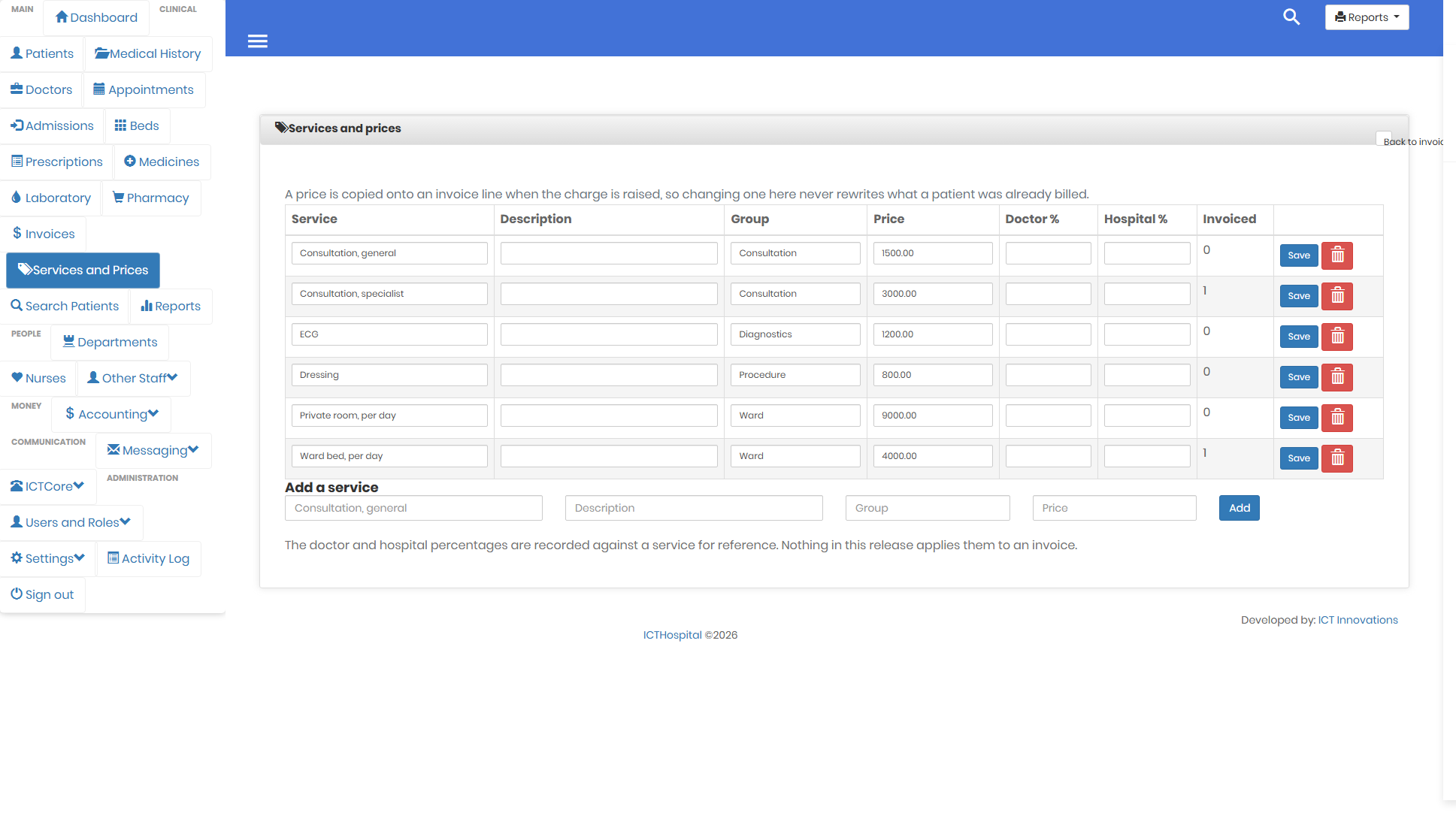
Invoice lines are raised against this list, so fill it in before you bill anyone.
The price here is the current one. It is copied onto the invoice line when the charge is raised, so putting a price up next month does not rewrite what somebody was billed last month.
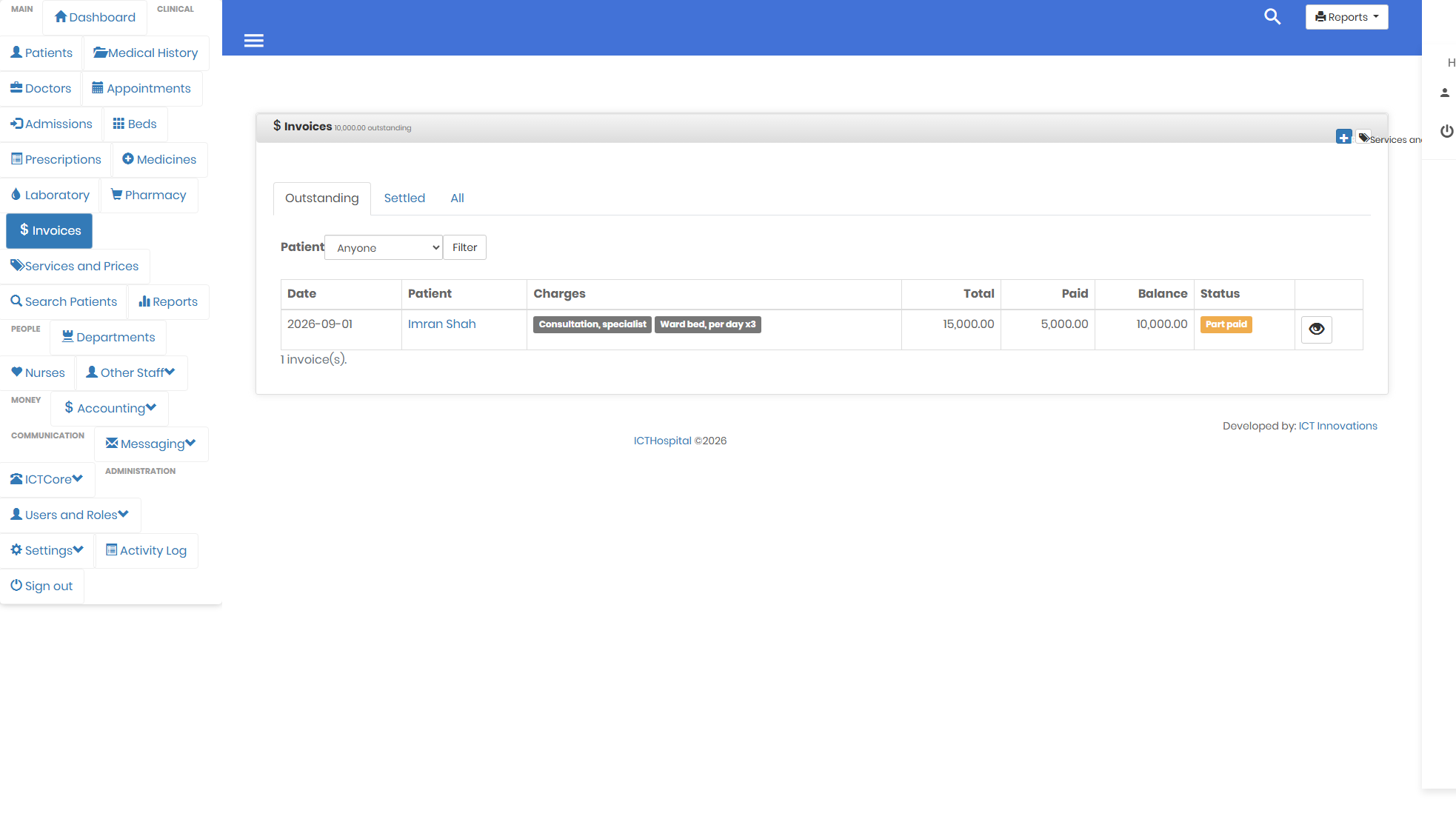
Payments are rows, so a deposit now and the balance later is something the system can express.
Whether an invoice is unpaid, part paid or settled is worked out from those payments. Nobody types it, so it cannot be wrong. You cannot overpay an invoice, and a refused payment is not recorded at all.
Reports
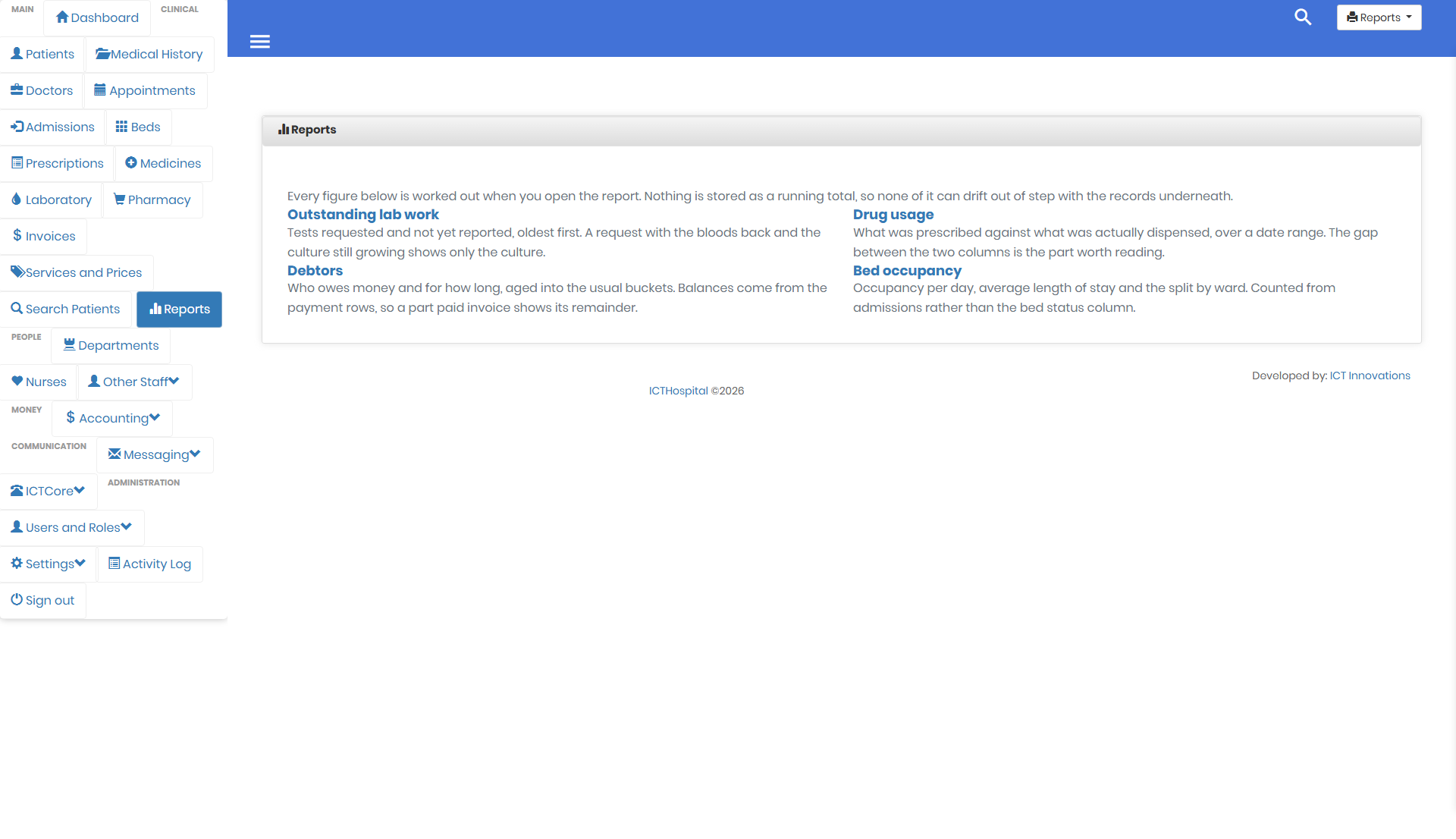
Four questions a hospital asks most weeks.
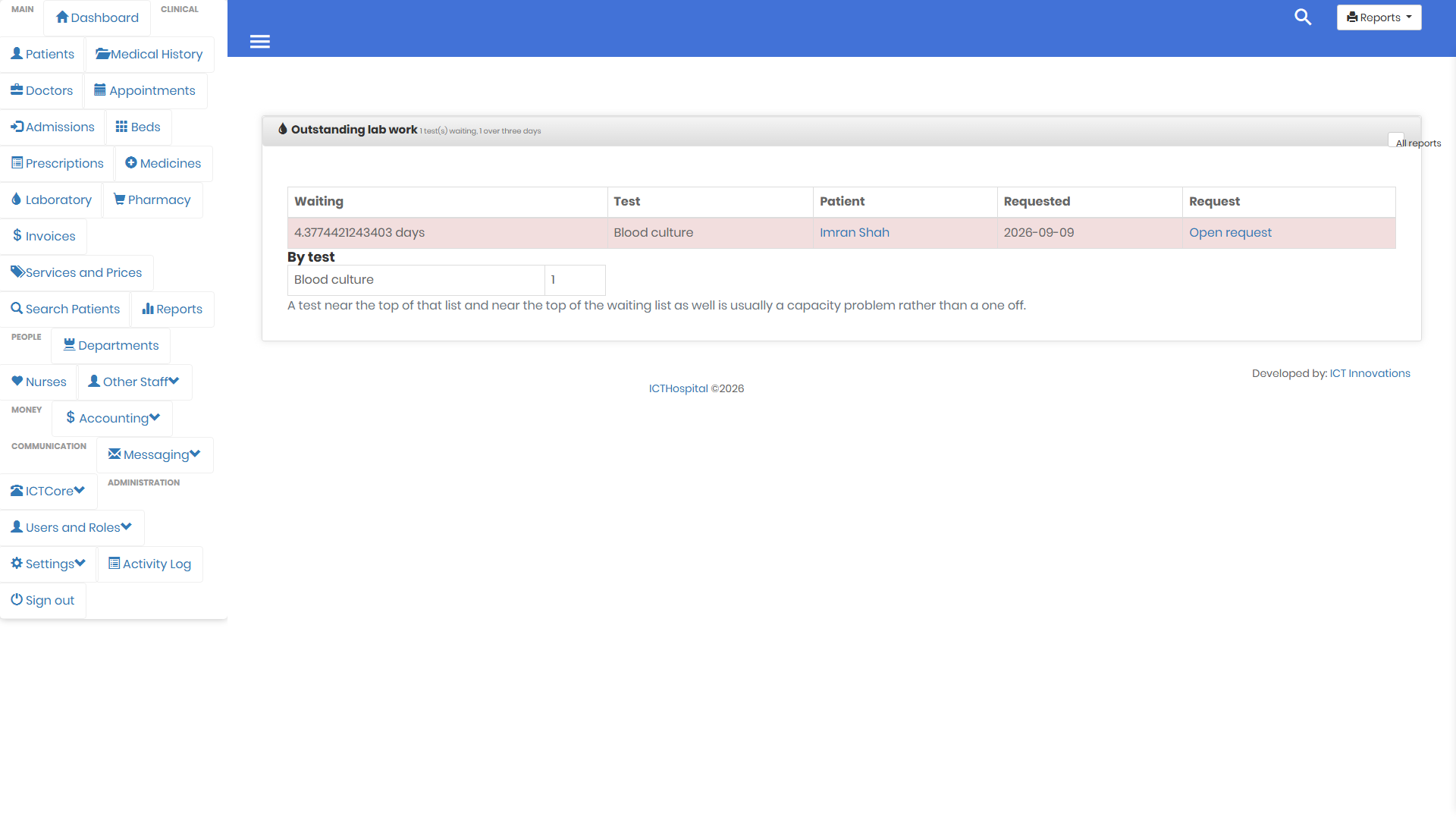
Tests requested and not yet reported, oldest first, with anything past three days marked.
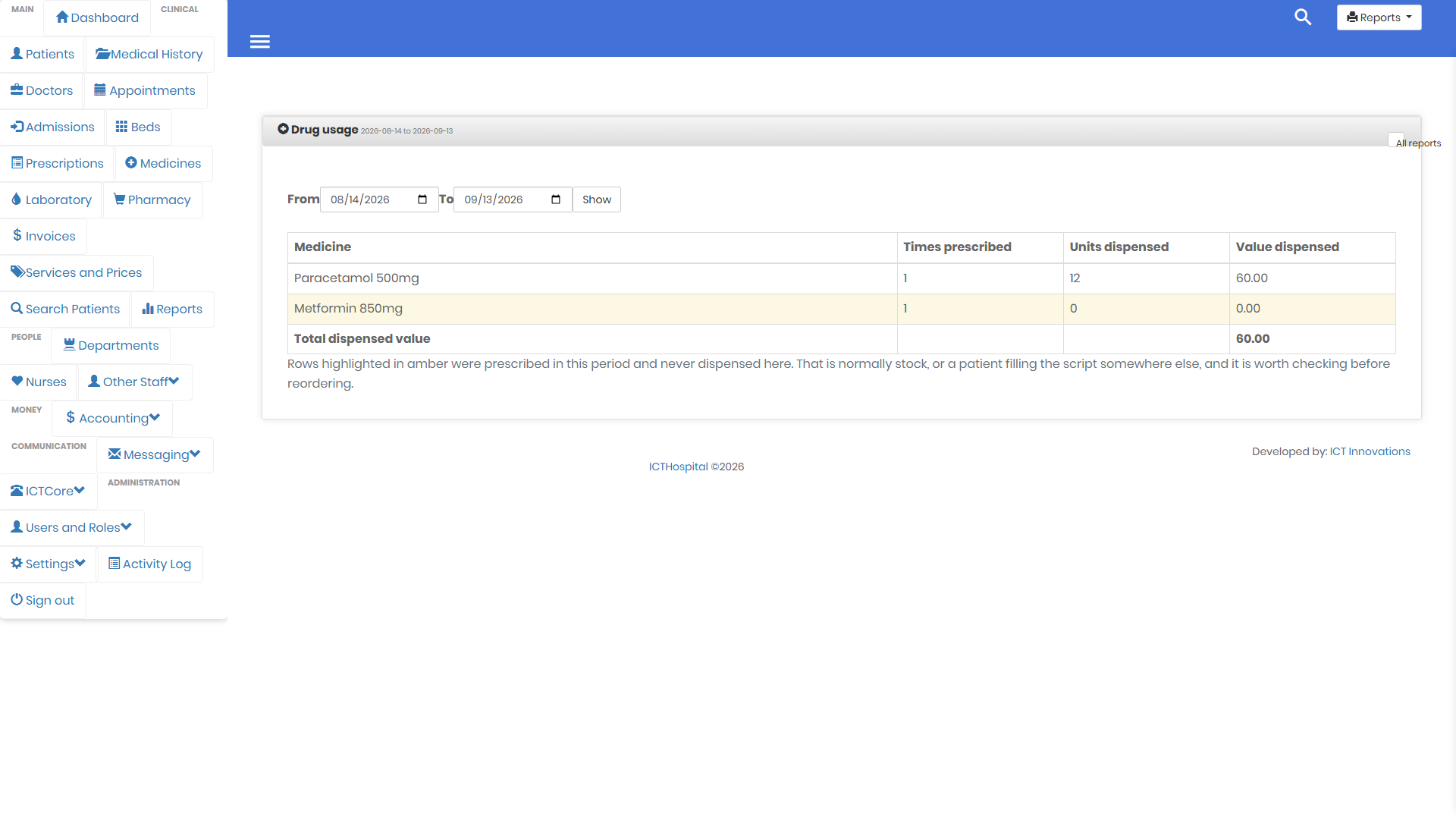
What was prescribed next to what was actually dispensed.
The gap between the two columns is the part worth reading. A drug prescribed and never dispensed here is usually a stock problem, or a script being filled somewhere else.
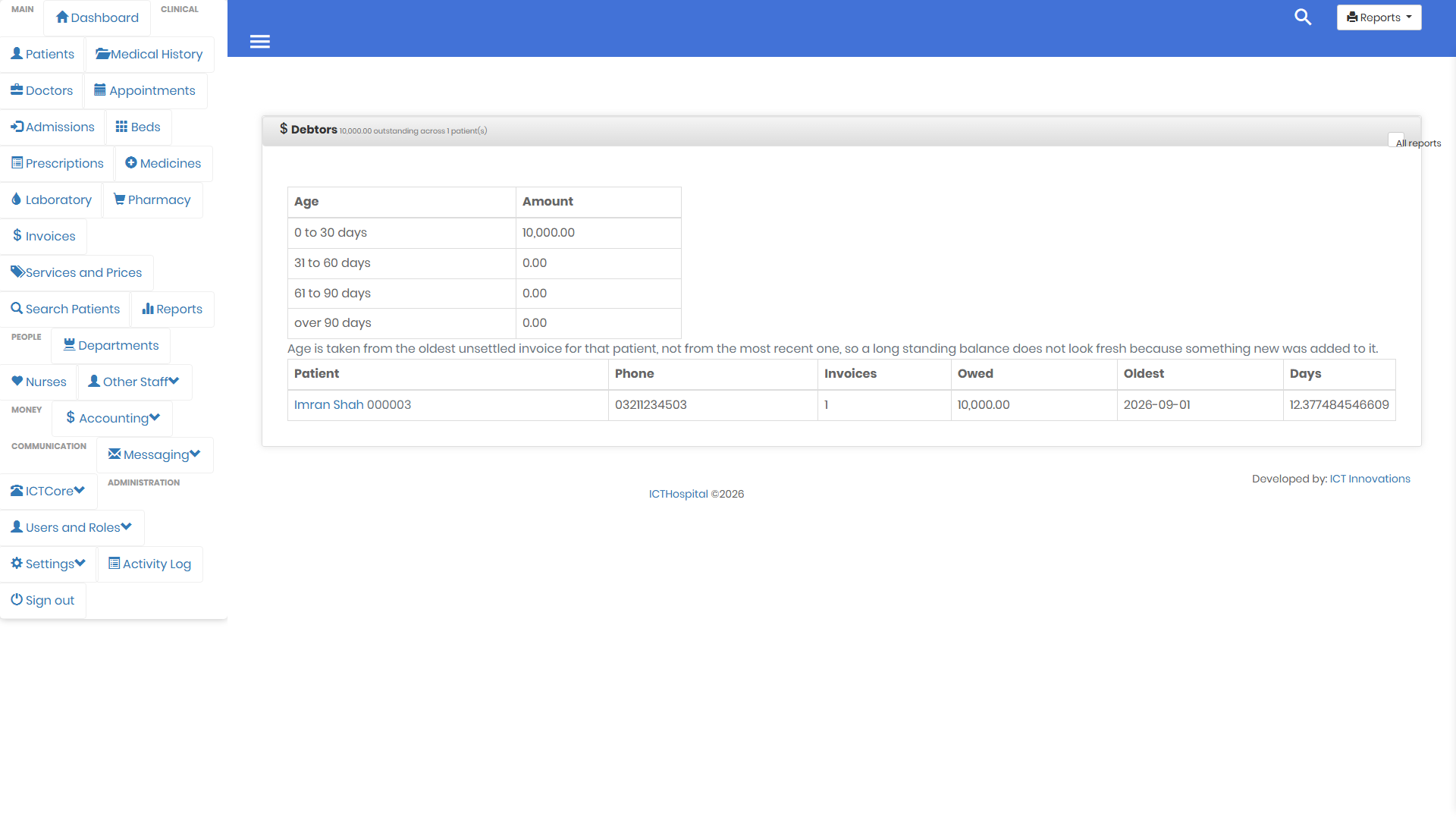
Who owes what, aged into the usual buckets.
The age comes from the patient's oldest unsettled invoice rather than their most recent one, so a long standing balance does not look fresh just because something new was added to it.
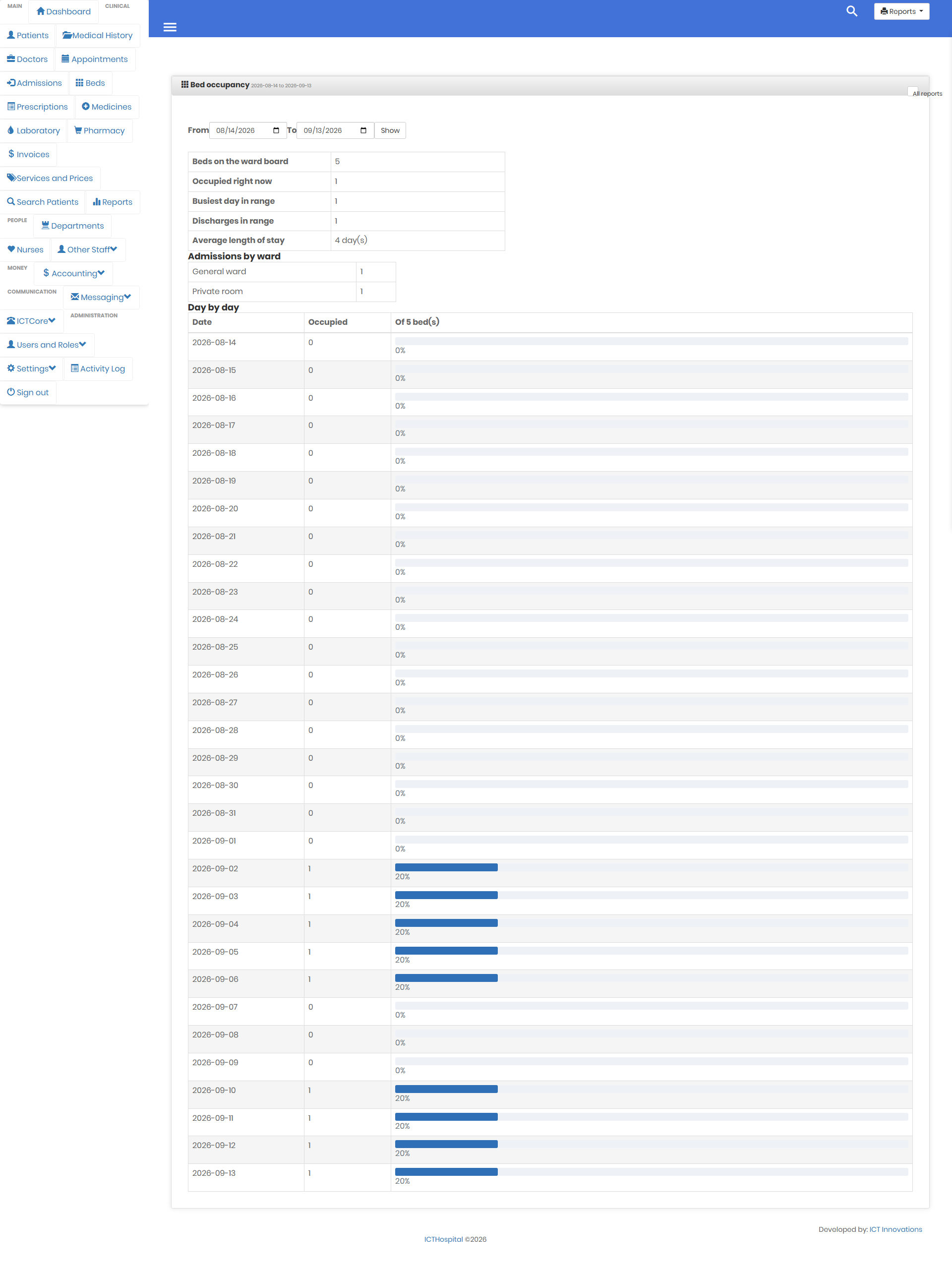
Occupancy per day, the busiest day, discharges and average length of stay.
Users and permissions
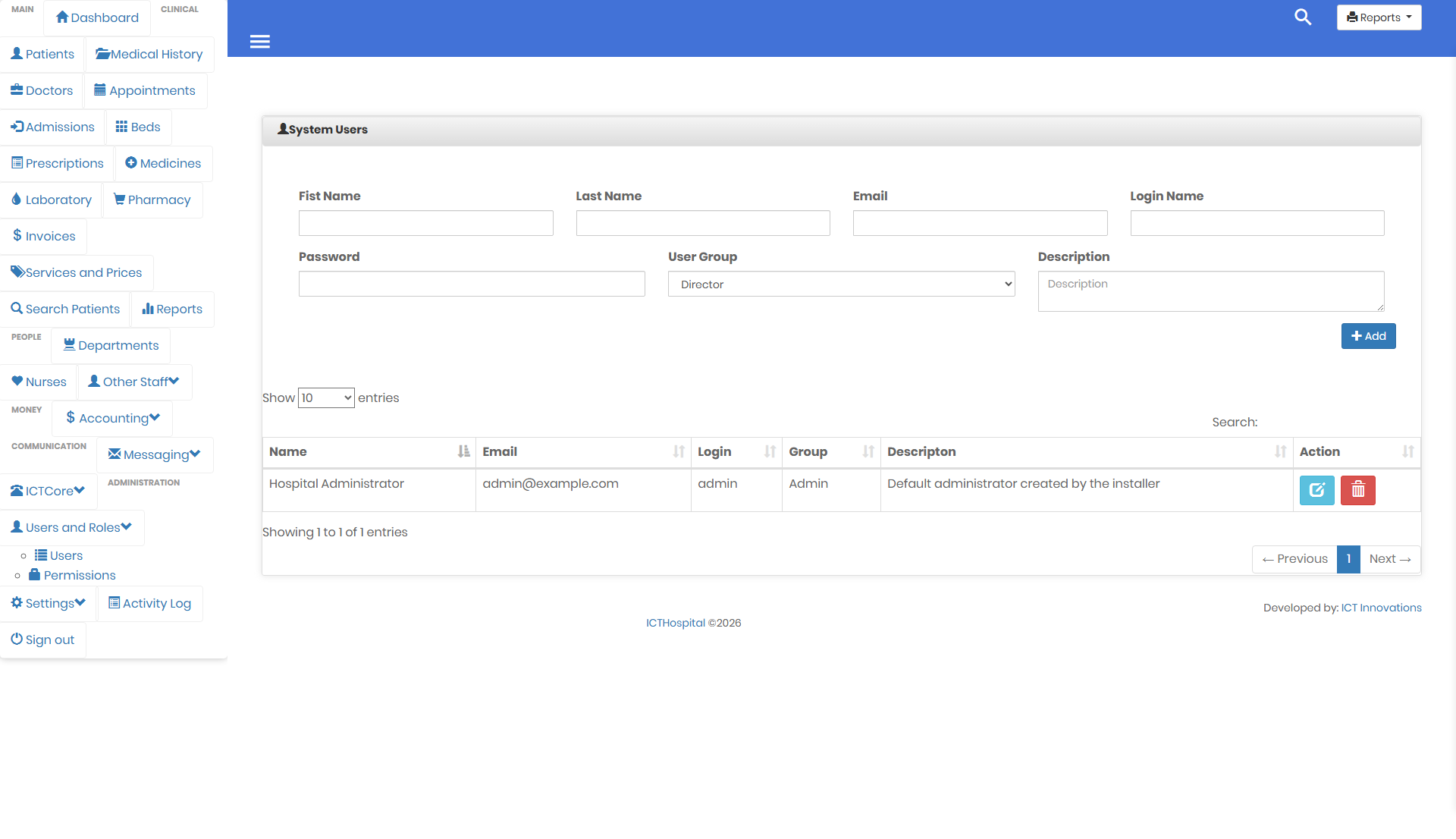
Accounts and the role each one belongs to.
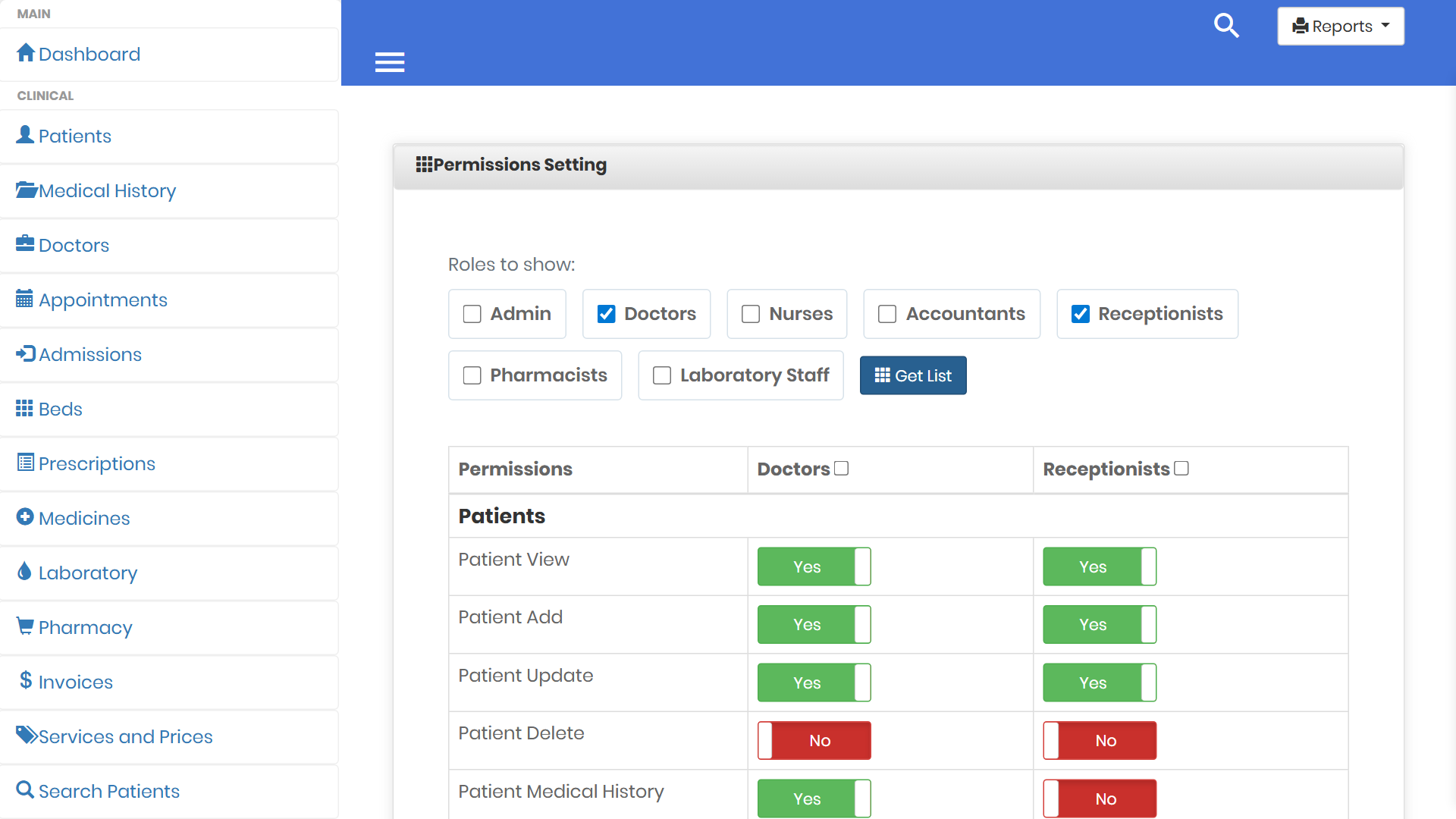
Tick the roles to compare, press Get List, and switch each permission on or off.
Admin is granted everything when the system is installed. Everyone else starts with nothing and is given what they need on this grid. The menu hides what a role cannot open, so nobody is offered a link that bounces them.
Upgrading from ICTSchool? Run this once after migrating, or every role including Admin will be locked out of every screen:
php artisan hospital:sync-permissionsIt only adds what is missing and never hands back a right you deliberately took away, so it is safe to run again.
Some areas are for administrators only, whatever the grid says: Messaging, the ICTCore link, Users and Roles, Settings and the Activity log. They are hidden from other roles and closed to them on the server, so typing the address does not open them either. Everyone keeps My Profile for their own details and password.
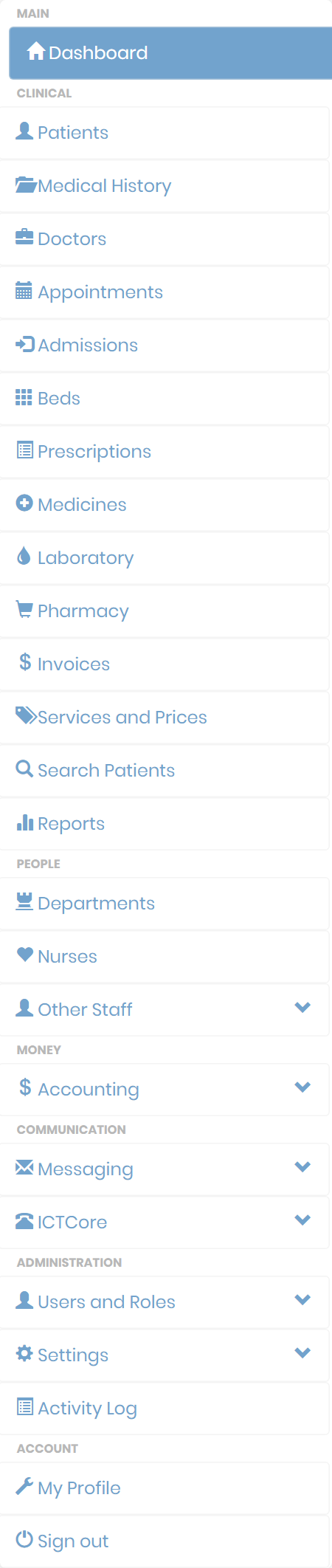
The menu an administrator sees.
The same system signed in as a doctor.
Payment gateways
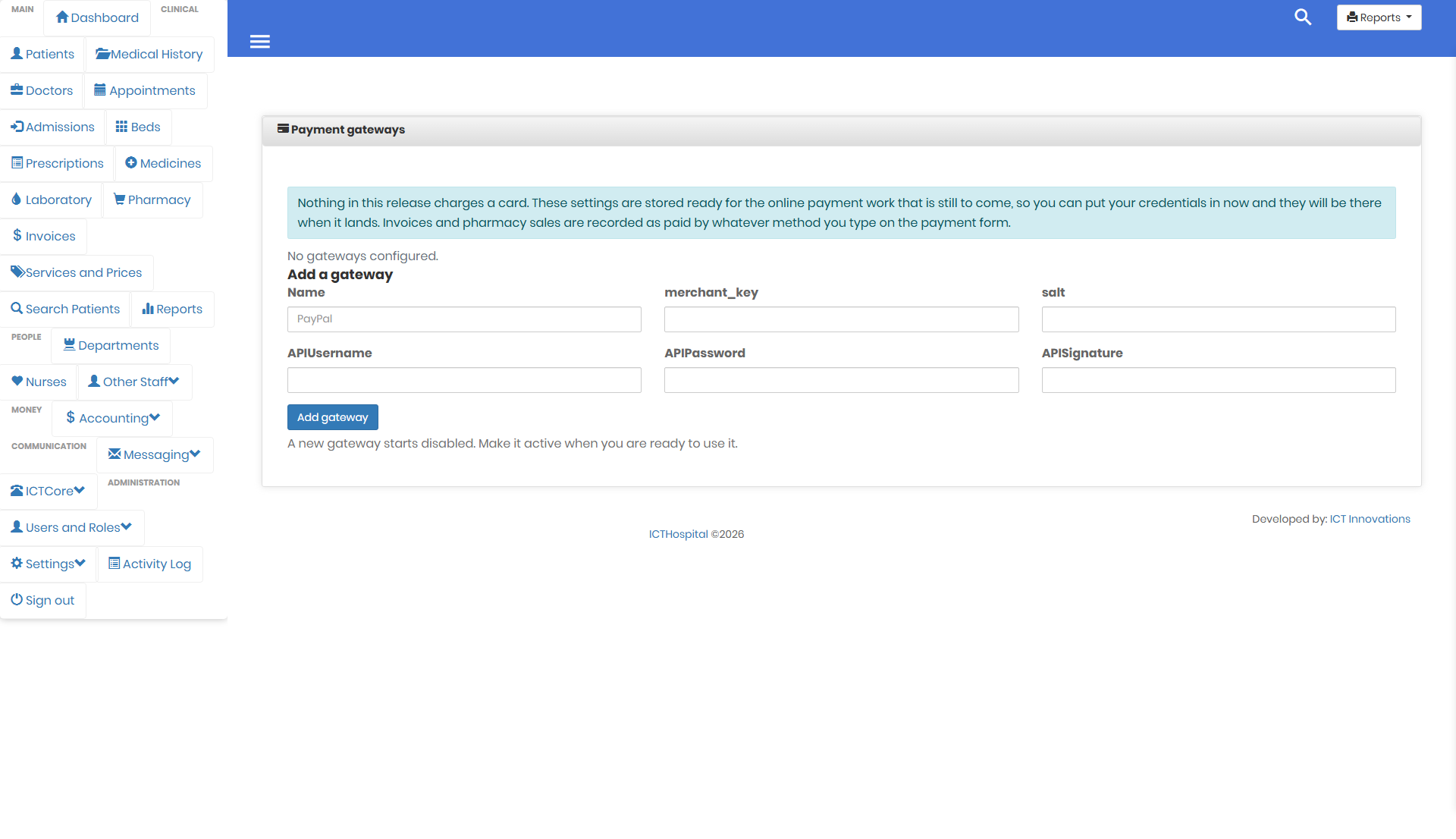
Credentials are stored ready for the online payment work still to come.
Be clear on what this is. Nothing in this release charges a card. The settings are stored so they are ready when online payment lands, and the screen says so rather than implying you can take a payment today.
Credentials are write only. They are never shown back to you, because a settings page that prints an API password puts it in every browser cache and every screenshot. Leave a field blank when you are editing and whatever is stored stays.
Questions people ask
Can I register a patient without a date of birth or a phone number?
Yes. Only the name is required.
What happens if two people book the same appointment slot?
One booking succeeds, the other is refused with a message naming the clash. The same applies to admitting two patients to one bed, dispensing the last of a medicine, and paying off the same invoice twice.
Can I delete a doctor, a medicine or a service?
Only if nothing refers to it. Anything already used stays, so old records keep reading correctly. Rename it instead.
If I change a price, does it change old invoices?
No. The price is copied onto the line when the charge is raised. The same goes for lab reference ranges and prescribed drug names.
Why does the menu look different for my colleague?
The menu only shows what your role can open. Clinical and money screens follow the permissions grid, so an administrator can grant them there. Messaging, ICTCore, Users and Roles, Settings and the Activity log are for administrators only.
How does a doctor see only their own appointments?
Open Appointments, choose your name in the Doctor box and press Show. Pick a different date to see another day.
How do I give someone a login?
On the doctor or staff form, fill in the Login section with a username and a password, then save. The person signs in with those and gets the permissions of their role.
How do I get rid of the demonstration data?
Delete the records from the screens, or reinstall with php artisan migrate:fresh --seed and skip the demo seeder. Do not run migrate:fresh on anything real.
Installing it
Two ways in. If you only want a look, use Docker and you will not have to install PHP on your machine. If you are putting it on a server, install it properly.
The quick look
git clone https://github.com/ictinnovations/ICTHospital.git
cd ICTHospital
docker compose up -d
docker compose exec app php artisan migrate --seed
That gives you an administrator account, an empty hospital record and the permission catalogue with everything granted to Admin. Sign in and change the password before you do anything else. Add php artisan db:seed --class=DemoDataSeeder if you want the demonstration records too.
On a server
You need PHP 8.2 or newer, MySQL or MariaDB, and Composer.
composer install
cp .env.example .env
php artisan key:generate
php artisan passport:keys
php artisan migrate --seed
If you are moving from an older version, run the schema check first. It reports what it would change and touches nothing until you tell it to.
php artisan hospital:modernise-schema
php artisan hospital:modernise-schema --apply
When something goes wrong
The install fails partway through migrating
Almost always the database user cannot create tables. Grant it CREATE, ALTER, INDEX and REFERENCES on its own schema and run the migration again. It is safe to rerun.
Pages load but nothing saves
Check that the storage and bootstrap cache directories are writable by the user your web server runs as. Laravel writes its compiled views there, and a read-only storage directory produces exactly this symptom.
The API returns a server error
Run the key generator. The API guard needs a keypair that is not in the repository, on purpose, because it is a secret.
php artisan passport:keysA user can see something they should not
Permissions are granted per role, not per person. Open Permissions, tick the roles you want to edit, press Get List, and set them.
Something else
Check the application log first. It is more specific than the page you are looking at, and it is the first thing we will ask for.
tail -100 storage/logs/laravel.logWhere to get help
Issue tracker
Bugs and feature requests, in public. Give us the PHP version, the database version and the exact error and you will get a useful answer faster.
Source code
The full application, the installation notes, the licence and the release history. Pull requests are welcome.
Talk to us
If you would rather we ran it for you, or you need it changed to fit how your hospital already works.
Developed by Tahir Almas, ICT Innovations.