
Everything else in ICTHospital hangs off a patient record. Admissions, prescriptions, lab requests and invoices all key on one, so this is the first thing the front desk creates and the thing every other screen looks up.
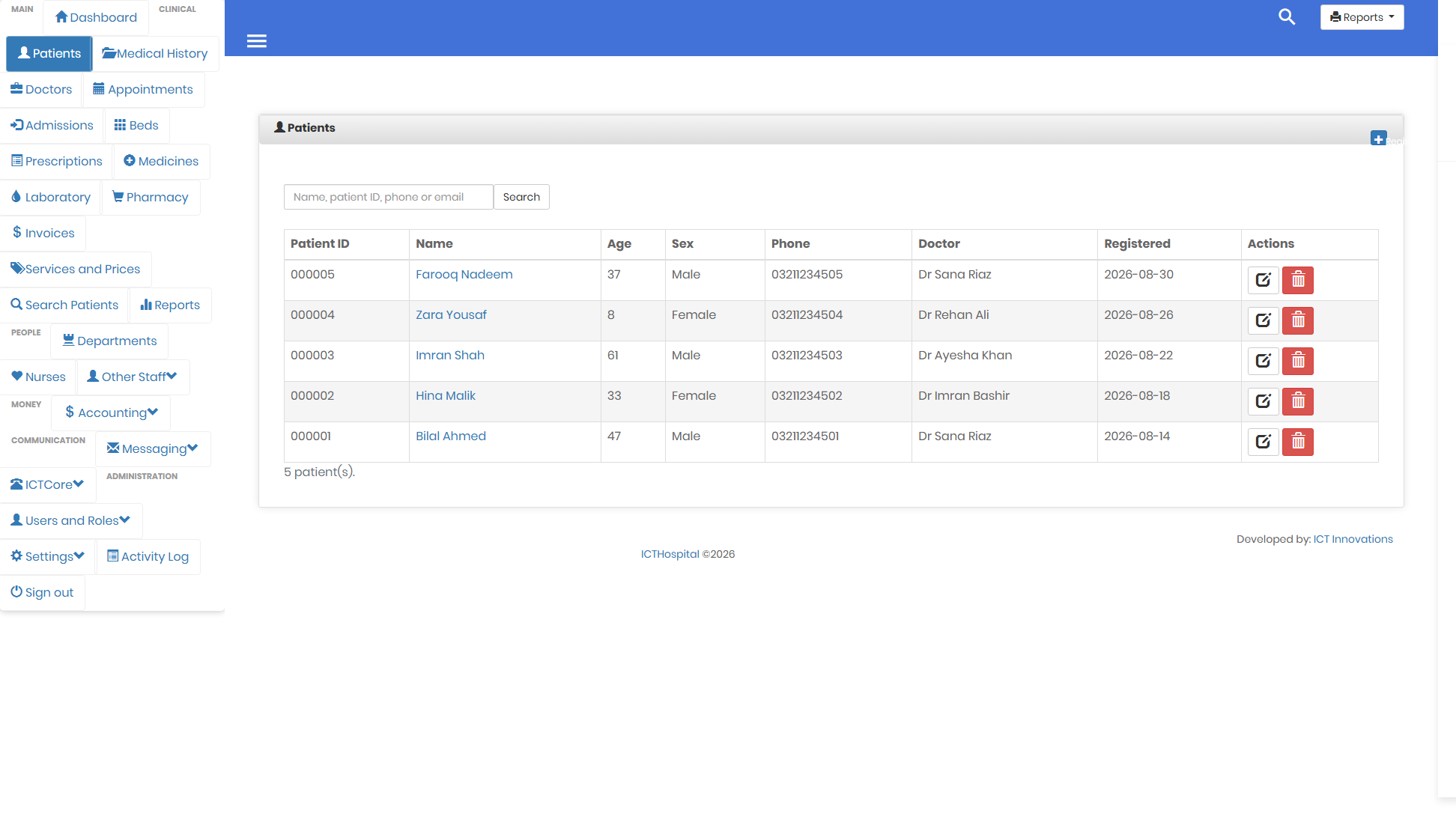
One search box covers name, patient ID, phone and email.
Registering somebody takes one field
Only the name is required. Someone walking in at two in the morning with no paperwork still has to be registerable, and a form that refuses that record just gets worked around with junk data. You can fill in the rest when you have it.
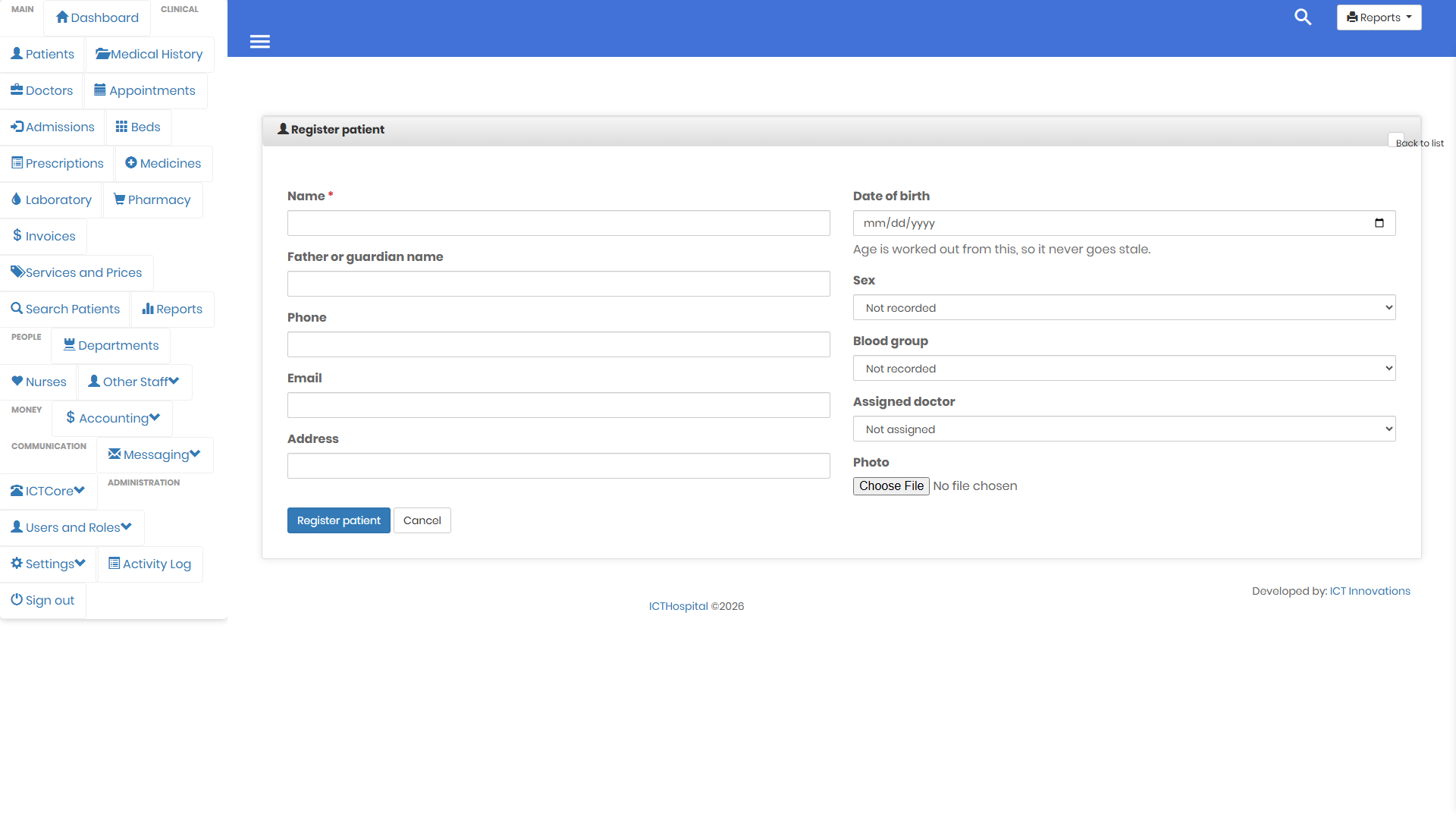
Date of birth, sex, blood group, phone, address and the assigned doctor are all optional.
Two decisions worth knowing about
Age is worked out from the date of birth, not typed. In the system this replaced, both were stored and a clerk updated one of them. They drifted apart permanently within a year. Now there is one source and the age is derived from it every time it is shown.
The patient ID comes from the highest one already issued, not from a row count. Delete a record and the next patient still gets a fresh number, so two people can never end up holding the same ID. If two clerks register a walk-in at the same moment, one waits for the other rather than both reading the same number.
Searching the way the desk actually works
One box rather than a filter per column. The person on the phone gives you whatever they can remember, which might be a surname, a mobile number, or the patient ID printed on their card, so the search covers all of them at once.
Medical history is separate on purpose
Allergies, past operations and chronic conditions have their own screen rather than being buried at the bottom of the patient record. It is the first thing worth reading before a consultation, and it takes an attached scan or report where you have one.
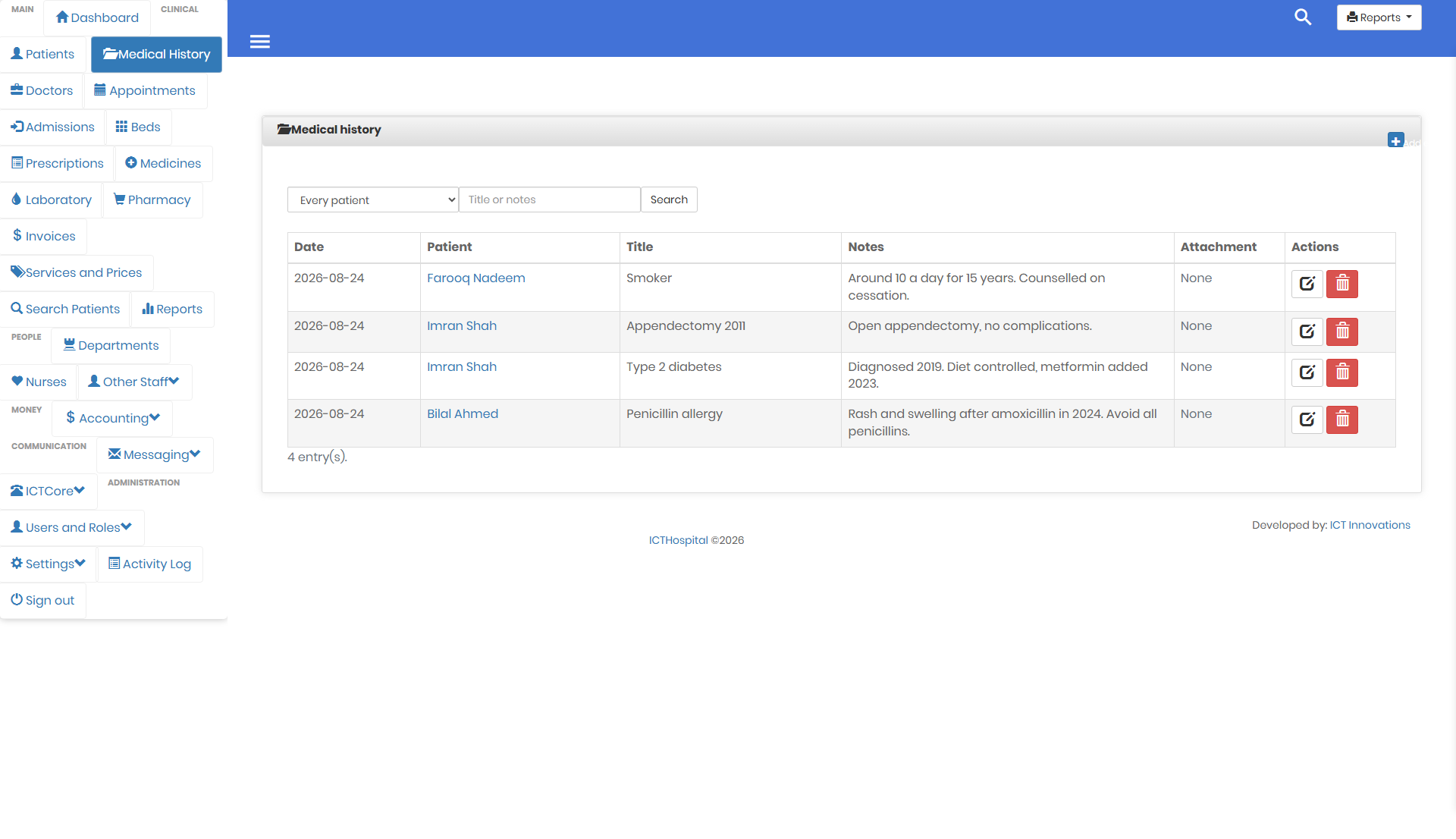
The patient details are stored as they were on the day the note was written.
Those details are copied onto each entry deliberately. A note written two years ago should still read correctly after the patient moves house or changes their number.
See it rather than read about it. The patient screens are captured from a working install with records in them.
The user guide walks the whole system in the order you would meet it, and the screenshots page has every screen. The source is on GitHub under the GPL v3.